33
Daily maintenance
This printer requires daily maintenance to use it safely.
[Caution on cleaning]
Before cleaning, be sure to turn OFF the power supply of the printer.
At the cleaning, wipe off each part using a soft cloth such as waste cloth impregnated with dehydrated
ethanol.
Frequent cleaning can ensure the good printing operation and the operation without failure or loss time.
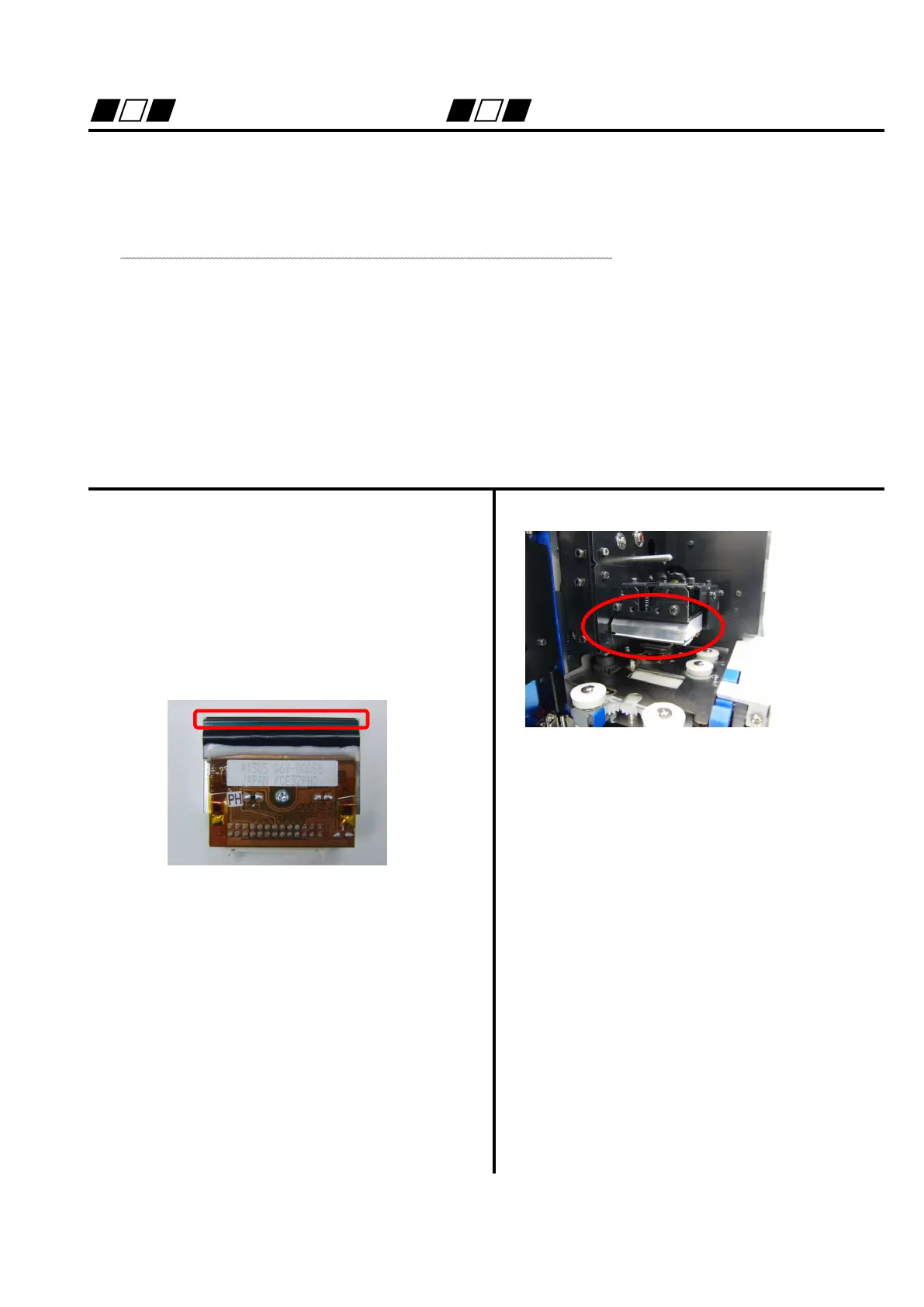
Cleaning of thermal head (indication of cleaning: at the replacement of ribbon, at the breaking of ribbon)
Open upper cover and front cover.
Clean up the heating element of head with a
waste cloth impregnated with dehydrated
ethanol.
The heating element is at the tip.


 To Next Page