23
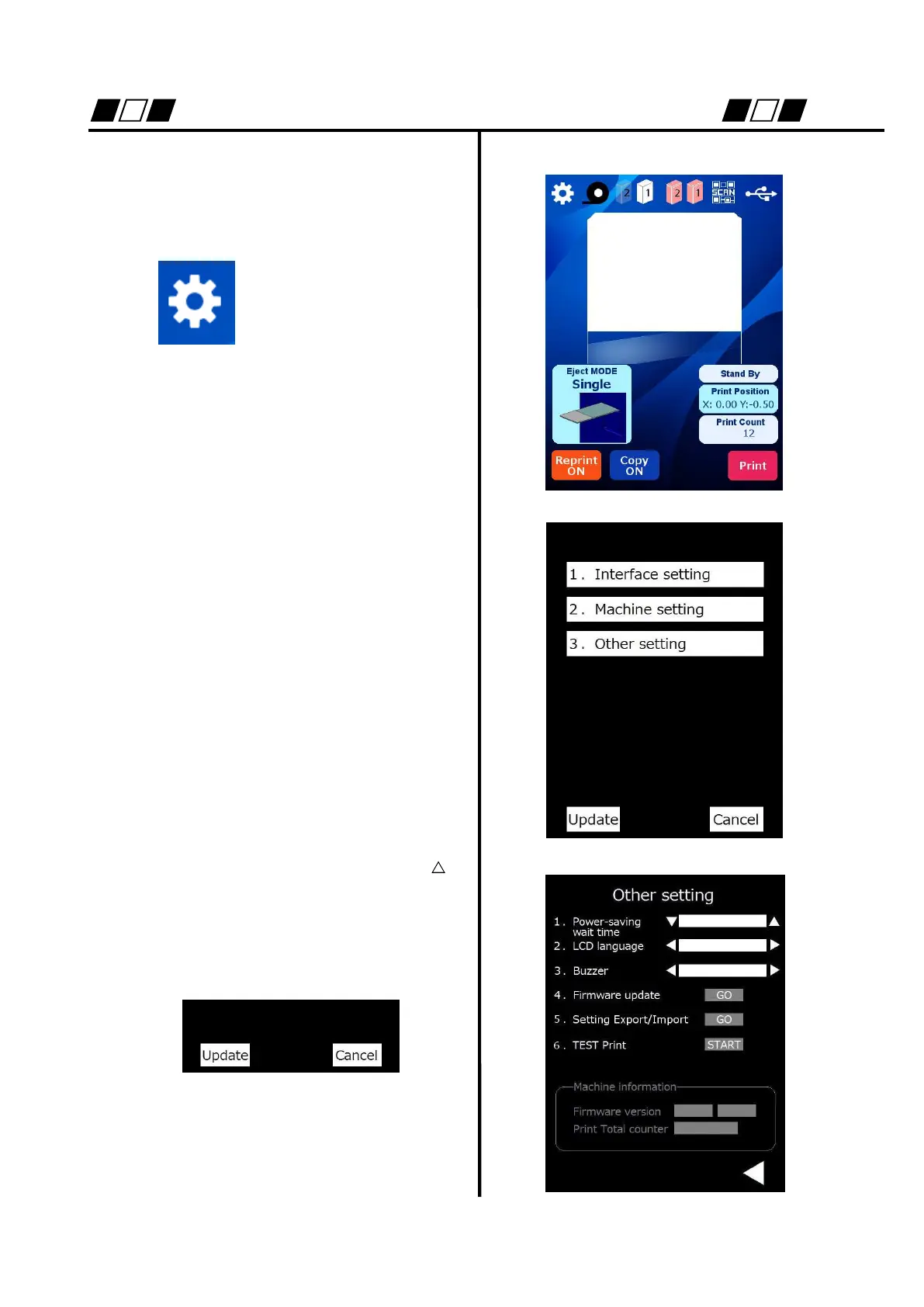
Method of change to Japanese display
Here shows the method for changing the
language display to Japanese.
The mode shifts to
setting mode.
3. Select “Other setting”.
2. Change the LCD language from
ENGLISH to JAPANESE and press
button to return to the setting main screen.
Press “Update” to change the setting.
Turn OFF the power supply once, and then
use the product.
JAPANESE


 To Next Page