22
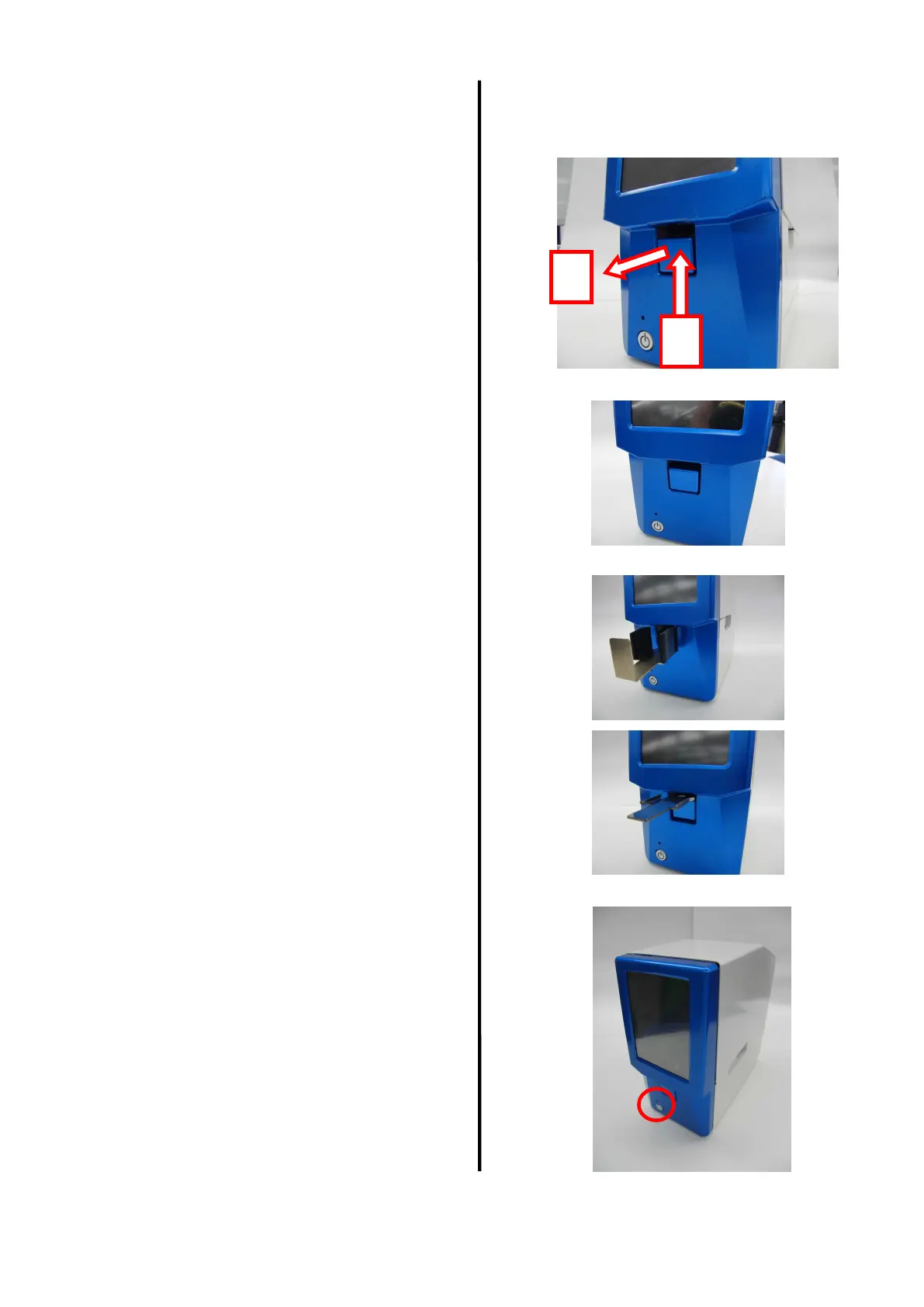
In the single sheet mode, set the front cover
cap (attached when the product is shipped). How to remove the front cover cap
To use the product in the continuous mode,
set the 20-sheet stacker.
To use the product for front loading, set the
manual feeding tray.
In any usage, attach cap, stacker, or tray
by hitching it to the groove on main unit
side.
[11] Turn ON the power supply.
(1)
(2)


 To Next Page