21
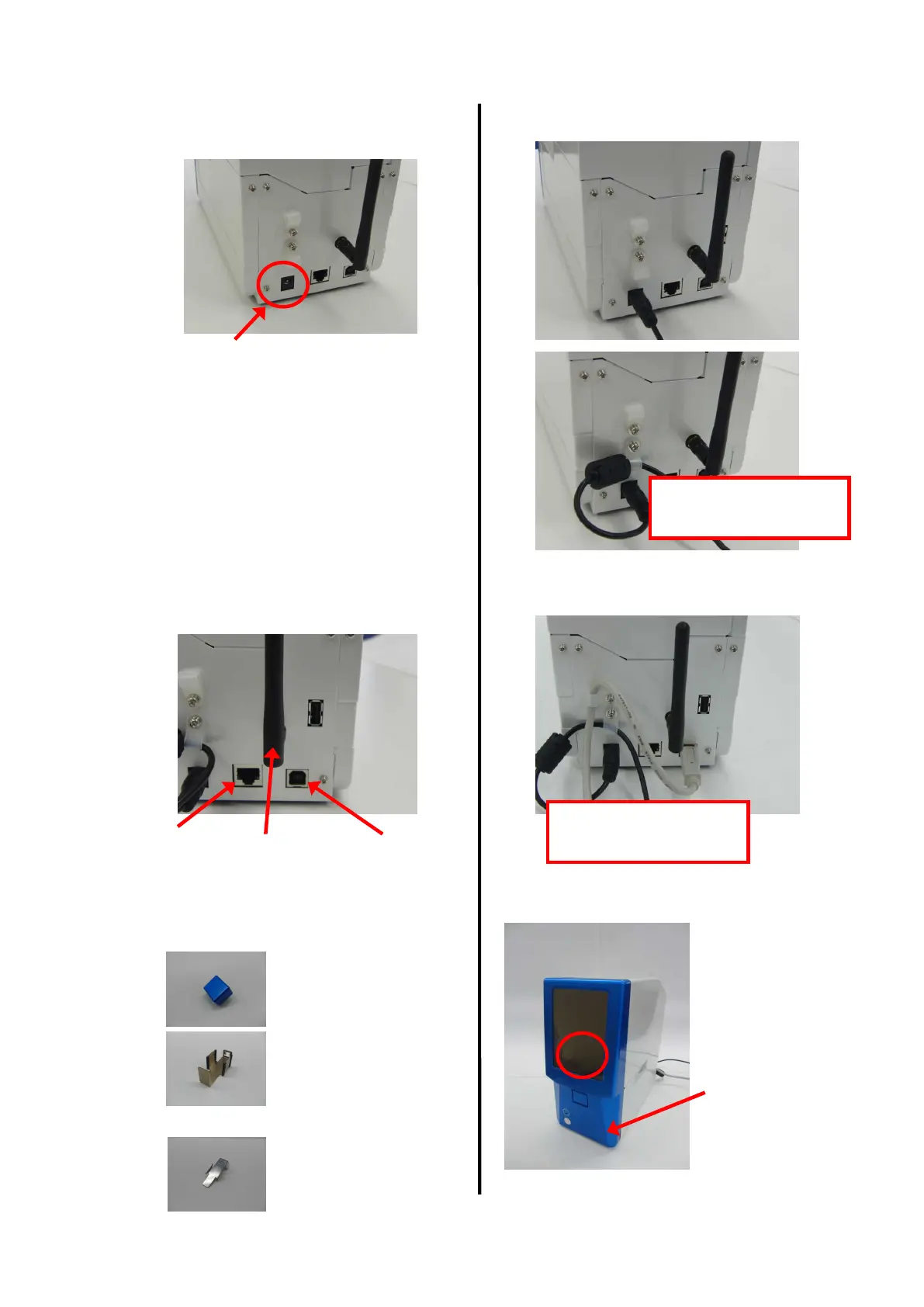
[8] Set the power supply (DC jack).
DC input part
[9] Set the interface cable.
Wireless LAN Wireless LAN antenna USB
[10] Select and attach cap, stacker, and tray.
Front cover cap
Select a part to
be attached to
this section.
Manual feeding tray
Lace it in the retainer clip
Lace it in the retainer clip
20-sheet stacker


 To Next Page