31
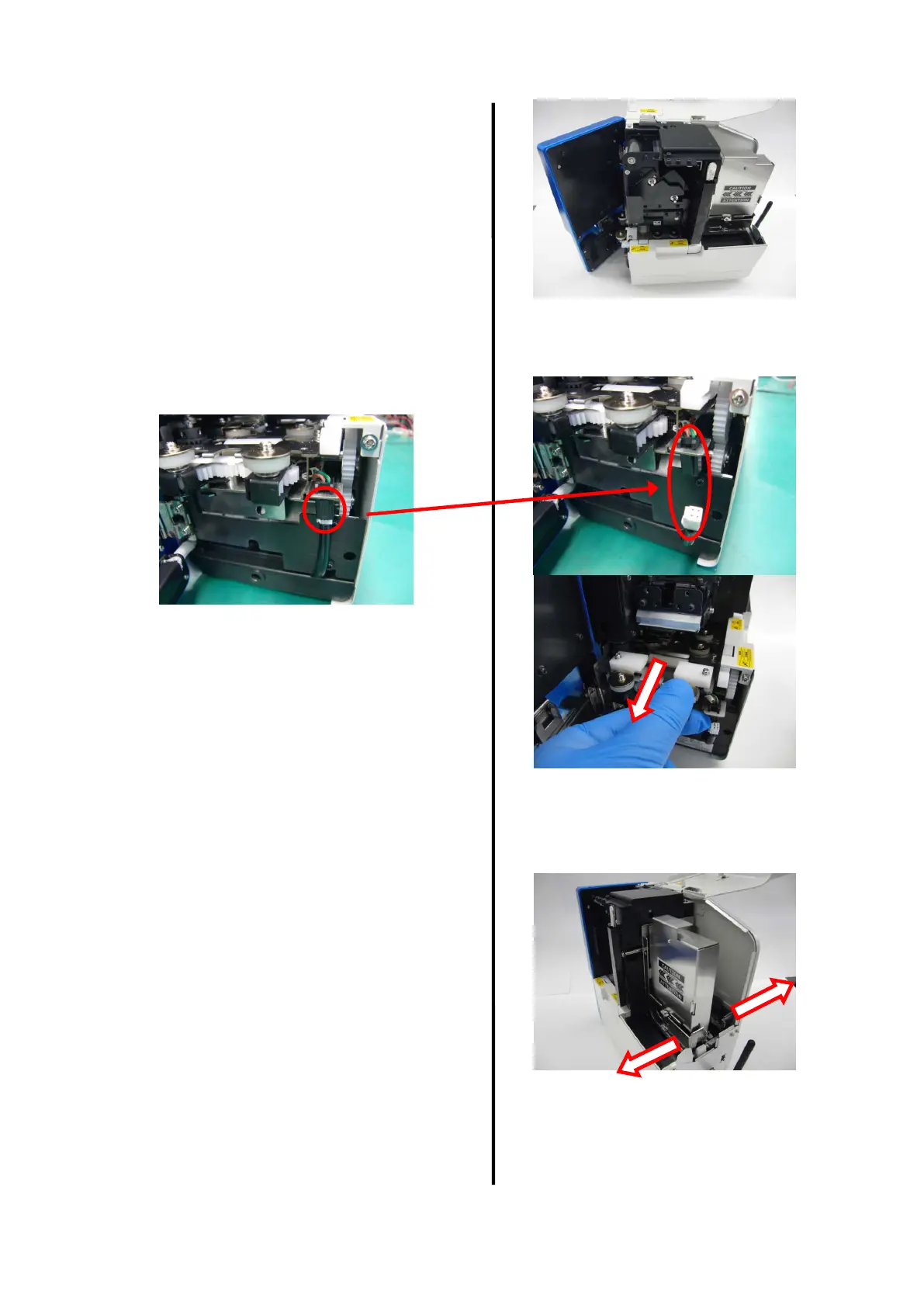
The transfer unit can be pulled out forward.
The transfer unit can be pulled out by
disconnecting the connector.
Remove the glass and restore the unit the way
it was. Be sure to restore the connector too.
If a glass is clogged in the lower part of
magazine, the glass can be pulled out by
removing the magazine.
* If you try to pull out the magazine upward
while a glass is clogged, the glass will get
broken. Do not pull out the magazine in
such a case.
Pull out the magazine backward, and then
remove the glass.
A part of magazine holder can be opened.


 To Next Page