35
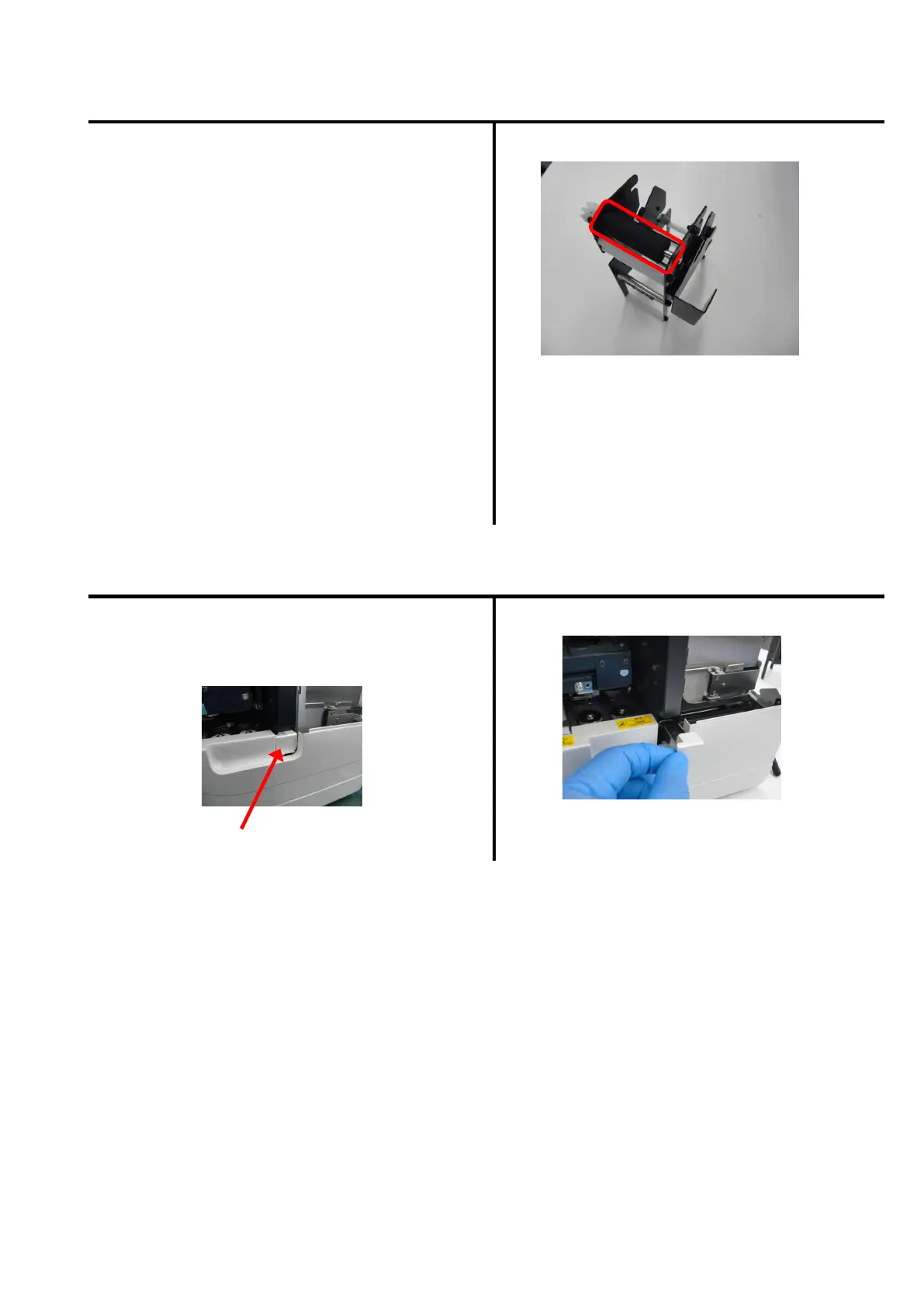
Cleaning of synchronized roller (indication of cleaning: at the replacement of ribbon)
Open upper cover and front cover.
Remove the ribbon cassette, and then
remove the ink ribbon from the cassette.
Clean up the platen roller using a waste cloth
impregnated with dehydrated ethanol.
Cleaning of dust tray (indication of cleaning: at the replacement of ribbon)
Remove the glass powder accumulated in
the dust tray.
Dust tray
Discard the accumulated glass powder.
As the dust tray is push latch type,
push it, and then pull it out.


 To Next Page