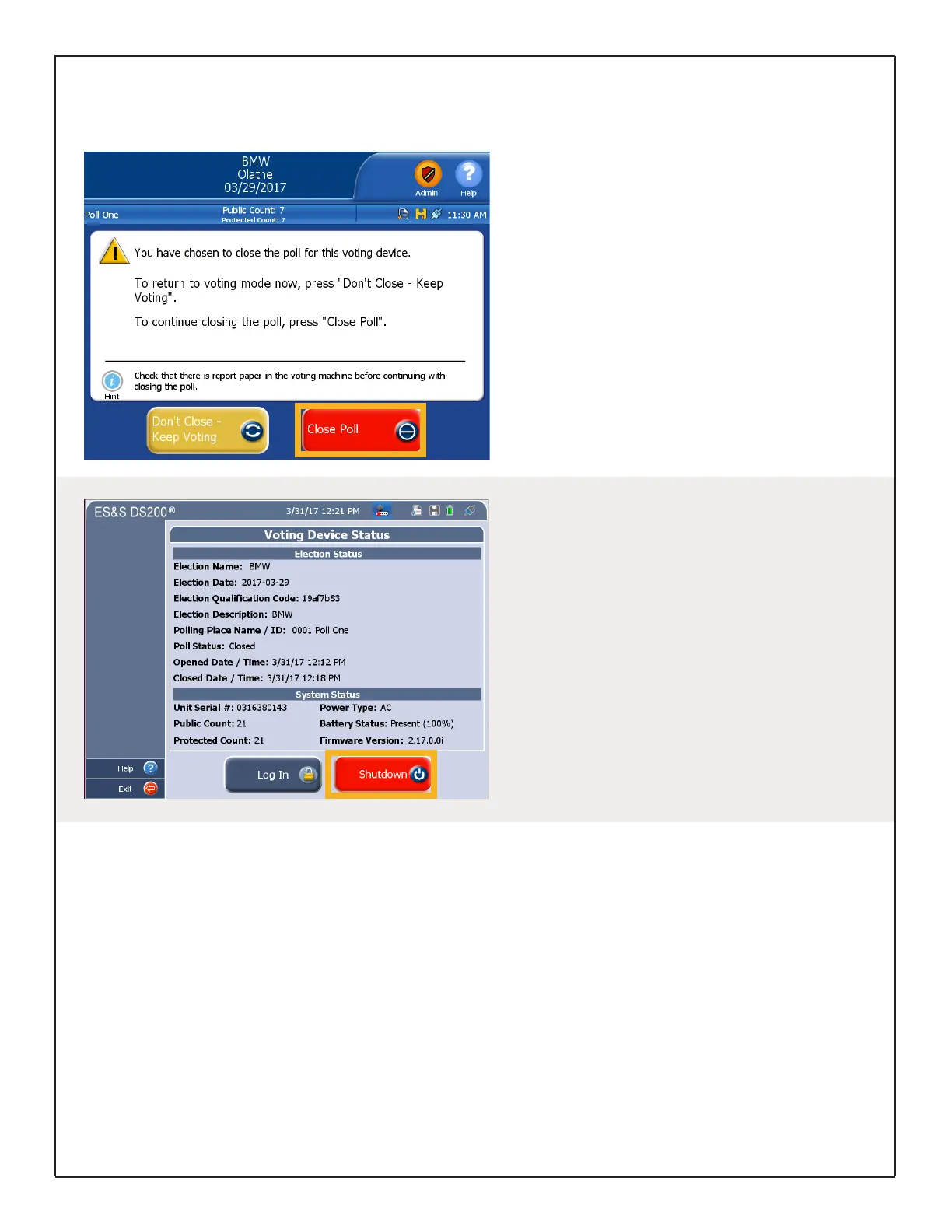
Closing the Poll
To close the poll at the end of voting, unlock the
the Front Access Compartment using the barrel
key.
Push the Close Poll button.
On the touch screen, touch Close Poll to end
voting.
A confirmation screen appears indicating
successful poll closure.
End of Voting
Power Down Methods
During early voting, to power down with polls
open, touch the Tools icon and enter the Election
Code. Touch Report Options and select the
Admin icon. Touch Shutdown.
At the end of Election Day voting, push the Close
Poll button inside the Front Access Compartment
to access the Admin menu and touch Shutdown.
If the polls are closed, you will be directed to the
Voting Device Status screen where you can touch
Shutdown to power down the scanner.
DS200 Digital Precinct Scanner | EVS 6.0.2.1 | Poll Worker Guide v 1.1.CBB
Page | 11


 To Next Page