Need help?
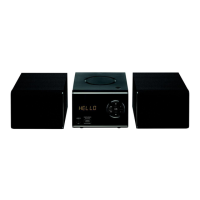
Do you have a question about the essentiel b MS-E-200-D and is the answer not in the manual?
Lists the items included in the product package.
Details the specifications and capabilities of the mini-stereo system.
Describes the front and back views, detailing components and connections.
Instructions for inserting batteries into the remote control.
Guidelines for operating the mini-stereo using the remote control.
Important warnings and precautions for safe appliance usage.
Guidance on proper disposal of used batteries.
Information on radio frequency usage and potential interference.
How to connect the stereo speakers to the mini-stereo unit.
Covers switching on/off, selecting sources, adjusting volume, and setting time.
Instructions for playing audio CDs and MP3s.
How to scan, search, and store FM radio stations.
Information and guidance on using the DAB/DAB+ radio feature.
How to navigate and use the menus for DAB radio functions.
Details automatic and manual search methods for DAB stations.
Steps to pair and connect Bluetooth audio devices.
Using the remote and handling calls in Bluetooth mode.
Instructions for connecting and playing audio from USB devices.
How to connect external audio players via the auxiliary input.
Guidelines for cleaning the mini-stereo unit.
Proper handling, cleaning, and storage of audio discs.
Solutions for common problems and malfunctions.
Declaration stating compliance with relevant EU directives.
Information on product disposal and environmental responsibility.
 General
| Brand | essentiel b |
|---|---|
| Model | MS-E-200-D |
| Category | Stereo System |
| Language | English |

 To Next Page