contents
your product 30
Contents of the box 30
Technical features 30
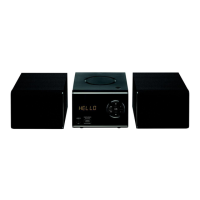
Description of your product 31
FRONT VIEW 31
BACK VIEW 32
The remote control 33
INSERTING BATTERIES INTO THE REMOTE CONTROL 34
USING THE REMOTE CONTROL 34
instructions for use 35
Safety instructions 35
Radio frequencies 36
Battery recycling 37
connecting the speakers 38
basic use 39
Switching the appliance on or off 39
Select an audio source 39
Adjusting the volume 39
Modifying the sound effects 39
Setting the time 39
Selecting a sleep timer 39
playing an audio CD 40
Basic functions 40
Repeat 40
Programming a playlist 40
listen to FM radio 41
Performing a full scan on the FM band 41
Search for a radio station automatically 41
Search for a radio station manually 41
Store radio stations automatically 41
Listen to a saved frequency 42
listening to digital radio (DAB/DAB+) 42
Initial operation 42
Navigating the menus 43
Automatic search 43
Manual search 43
Storing a DAB radio station 44
Listen to a stored DAB radio station 44
Display the DAB information 44
Accessing the configuration menus 44
establishing a Bluetooth* connection 45
Using the remote control in Bluetooth
*
mode 46
Incoming call detection 46
Cancel the active Bluetooth* connection 46
connecting a USB removable media 47
Basic functions 47
connecting the mini-stereo to an auxiliary source 48
maintenance and cleaning 49
Cleaning the appliance 49
Notes on the discs 49
troubleshooting guide 50
simplified EU declaration of conformity 51


 To Next Page