establishing a Bluetooth* connection
46
connecting a USB removable media
47
• This mini-stereo can be paired to all devices equipped with Bluetooth
*
wireless technology.
• After pairing has been completed, the last stored Bluetooth
*
audio device will automatically reconnect
as soon as the Bluetooth* source is selected.
• The device can only be paired to one Bluetooth* device at a time. To pair another device, cancel the
pairing of your Bluetooth* device and then repeat the previous steps 1 to 4 with the new device.
Using the remote control in Bluetooth
*
mode
• Press this button to start playback.
• Press a second time to pause playback.
• Press again to resume playback.
Accesses the previous track.
Accesses the next track.
Incoming call detection
• When a call is received or dialled, the smartphone pauses music playback. The transmission of music
from your phone to the mini-stereo is interrupted.
• When the call ends, the phone resumes playback from the point where it was interrupted, and plays
the music back through the mini-stereo speakers.
Cancel the active Bluetooth* connection
If you want to cancel the pairing between the mini-stereo and your smartphone, to pair it with another
smartphone, press and hold the BTbutton on the mini-stereo or remote control for 5 seconds. BT
flashes again on the display.
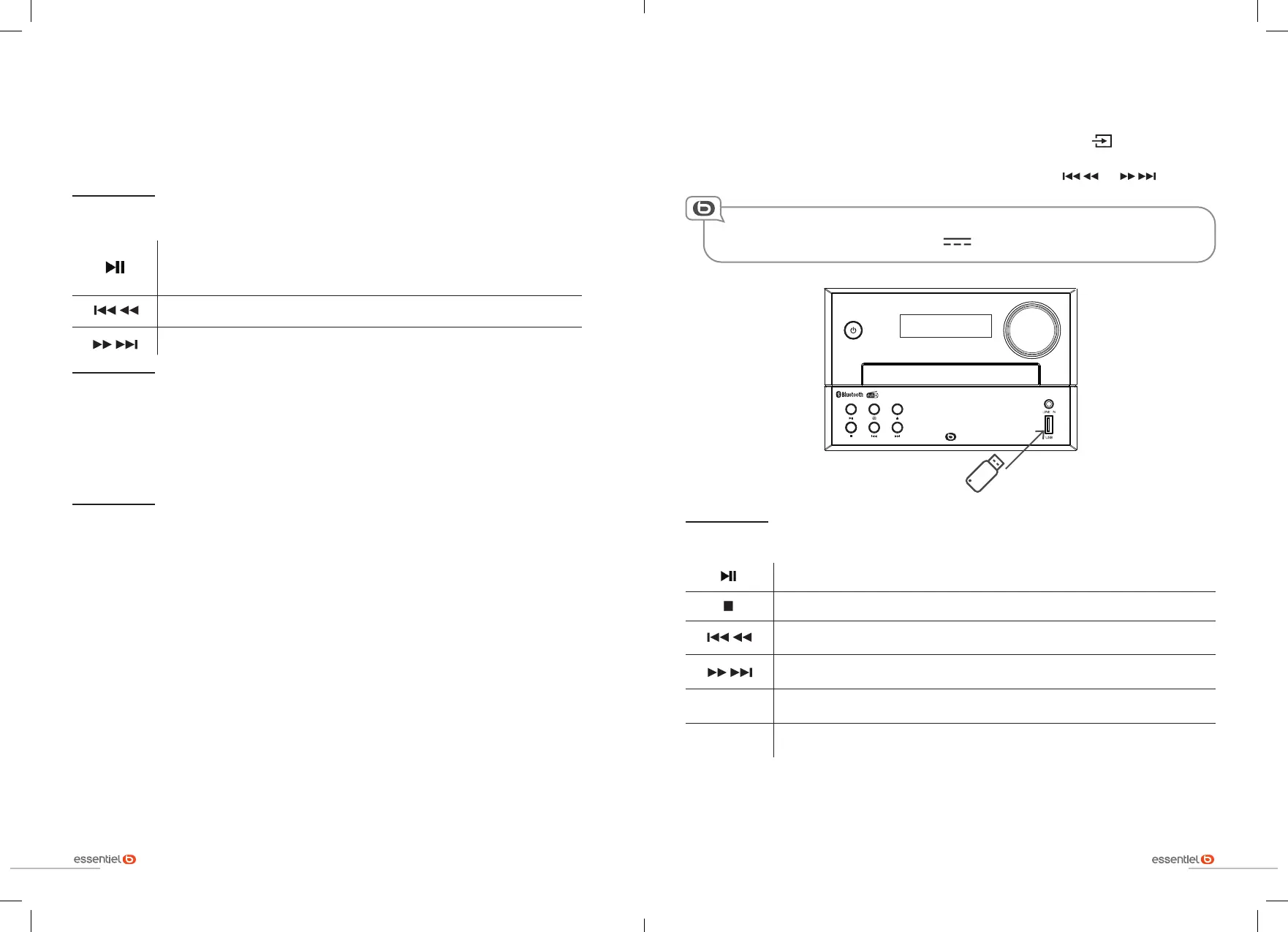
connecting a USB removable media
1. Turn on the mini-stereo. Select the USB source by repeatedly pressing the button on the mini-
stereo or the remote control.
2. Playback starts automatically. To go directly to another track, use the or buttons.
The USB port also enables you to recharge your USB devices when the mini-stereo is
switched on, delivering a voltage of 5 V 500 mA, whatever the source selected.
Basic functions
Starts, pauses or resumes playback.
Stops playback.
Accesses the previous track.
Press and hold to play backwards at an accelerated speed.
Accesses the next track.
Press and hold to play forwards at an accelerated speed.
ALBUM- /
ALBUM+
Enables access to the next or previous folder.
REPEAT
Press the REPEAT button to repeat a track, a second time to repeat an album, a
third time to repeat the entire disc, and a fourth time to turn repeat off.


 To Next Page