listening to digital radio (DAB/DAB+)
44
establishing a Bluetooth* connection
45
Storing a DAB radio station
1. When the mini-stereo is turned on, set it to the DAB+ station of your choice.
2. Press and hold the PROG button. Memory number 01 flashes on the display. Use the or
buttons to select the desired memory number. Press to confirm the programming of the
DAB+ station. MEMORISEE (stored) appears on the screen.
3. Repeat as often as necessary.
• The programmed stations remain stored in the memory, even after the appliance is switched off.
• Programming a new station to an already assigned number automatically deletes the previously
saved station.
• You can program up to 30 radio stations.
Listen to a stored DAB radio station
• Briefly press the PROG button and then use the or buttons to select the desired
memory number (from 1 to 30) and listen to the stored radio station.
Display the DAB information
• In DAB+ mode, the mini-stereo displays information about the station currently playing. In addition
to the current time, this includes the name of the selected radio station as well as other information
transmitted by the transmitter's secondary DLS (Dynamic Label Segment). This may include, for
example, the title and name of the artist or contact information or additional information provided by
the transmitter.
• When the information is longer than 16 characters, it is displayed as scrolling text.
• By repeatedly pressing the INFObutton,you can scroll through the Info menu and view all available
information (transmission type (PTY), station name, channel and frequency, signal error rate, bit rate
and audio type, DLS text information, DL Plus info (if available), time, date, signal strength).
Accessing the configuration menus
Press the MENU button, then use the or buttons on the remote control to select the
systemE (system) menu. Press the button to confirm.
Use the or buttons to scroll through the different options, then press the button
to confirm.
» reinitialisation (reset): Select y to reset all the settings of your mini-stereo to the original factory
settings. The list of available stations will also be cleared and the preset memories will be erased.
After the factory reset, the mini-stereo starts a new automatic scan and renews the station list.
» mise a jour (update): Select y to update the software installed on your mini-stereo.
» VERSION LOGICIEL (software version): This option displays the version number of the software
installed on your mini-stereo.
» langue (language): Select the language of your choice from the various options using the
or buttons.
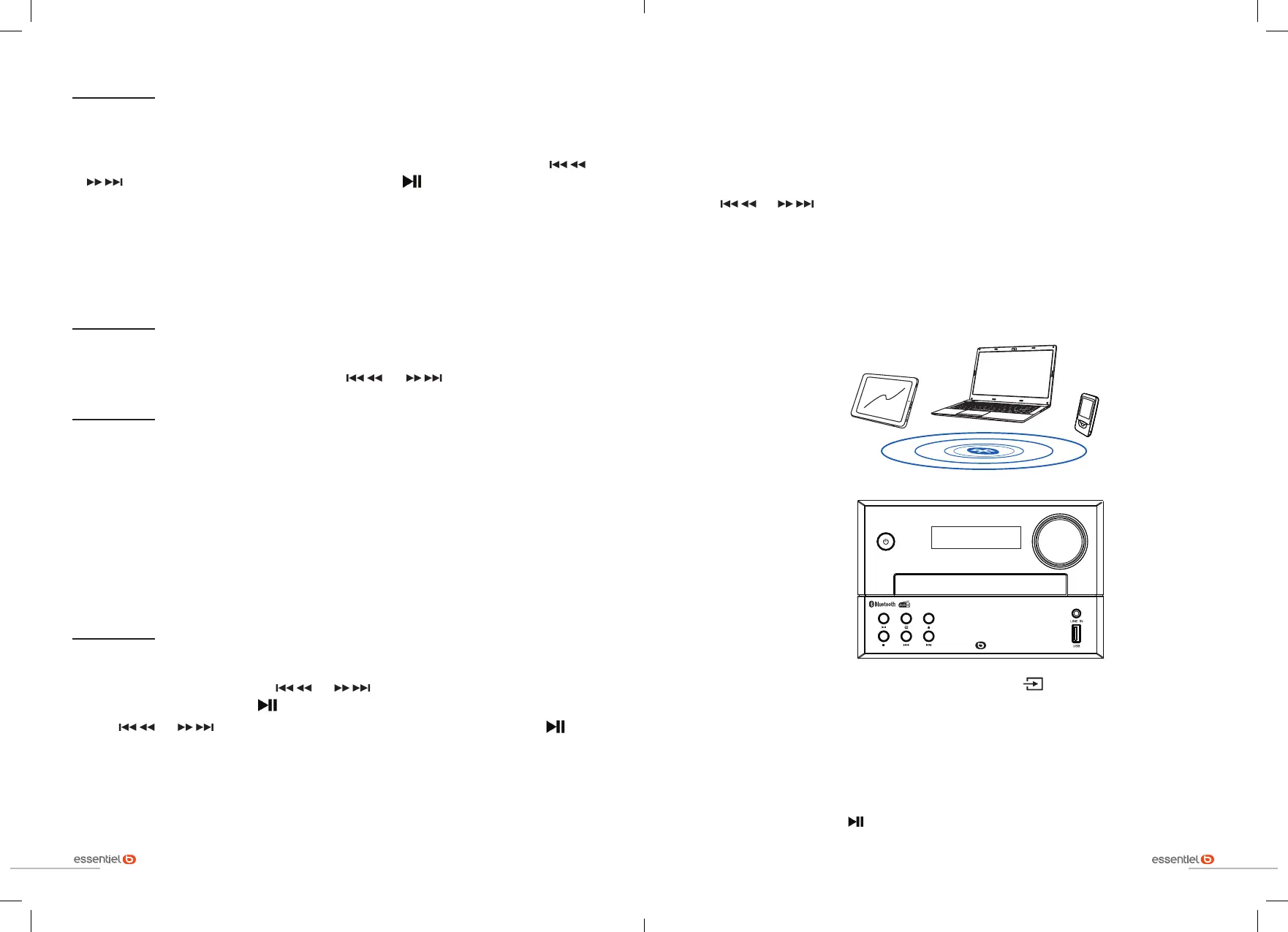
establishing a Bluetooth* connection
If you have a Bluetooth
*
audio device (smartphone, tablet, laptop, etc.), you can pair it to the mini-
stereo. The Bluetooth
*
connection enables you to play back music recorded on your audio device
without using a cable.
BASS
TREBLE
Turn on the mini-stereo, and select the BT source by pressing the button on the mini-stereo several
times or directly on the BT button on the remote control.
1. BT flashes on the display, indicating that the pairing mode is active.
2. Then please refer to the user manual of your Bluetooth
*
audio device for pairing with the mini-stereo.
This is called Essb_MS-E-200-D in the list of detected Bluetooth
*
devices.
3. Pairing is successful when the BT indication becomes fixed on the display.
4. Start playback on your audio device.
5. To stop playback, press the button on the mini-stereo, remote control or your smartphone. Or
change the playback source on the mini-stereo or remote control.


 To Next Page