Patient Education
16
3
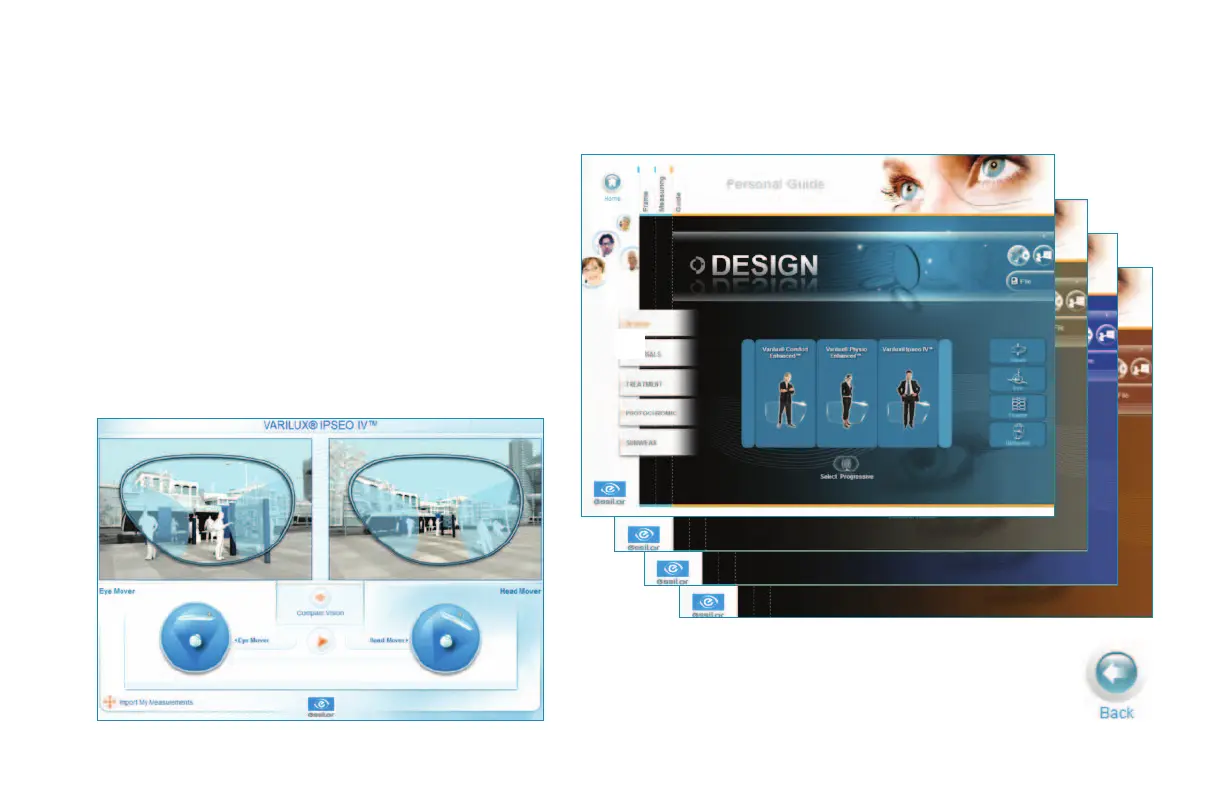
The Patient Category Selection on the Visioffice Home Screen will customize the product demos available for view.
Product Demo Tools
1 Select the Guide Tab at the top of the screen.
2 Use the tabs on the left of the screen to navigate
through the each demo section.
Demos my be displayed in any order according
to the needs of each patient. Some demos
can be customized after recording the patient’s
measurements.
3 Press the Import Measurements button where
available to provide custom illustrations.
Press the Back button to return to the
Visioffice Patient Guide.
1


 To Next Page