Your Visioffice System
3
Welcome to your new Visioffice System!
Turn on the Visioffice by moving the Master Power Toggle into the “UP” position.
The Master Power Toggle is located in the rear access panel of the Visioffice.
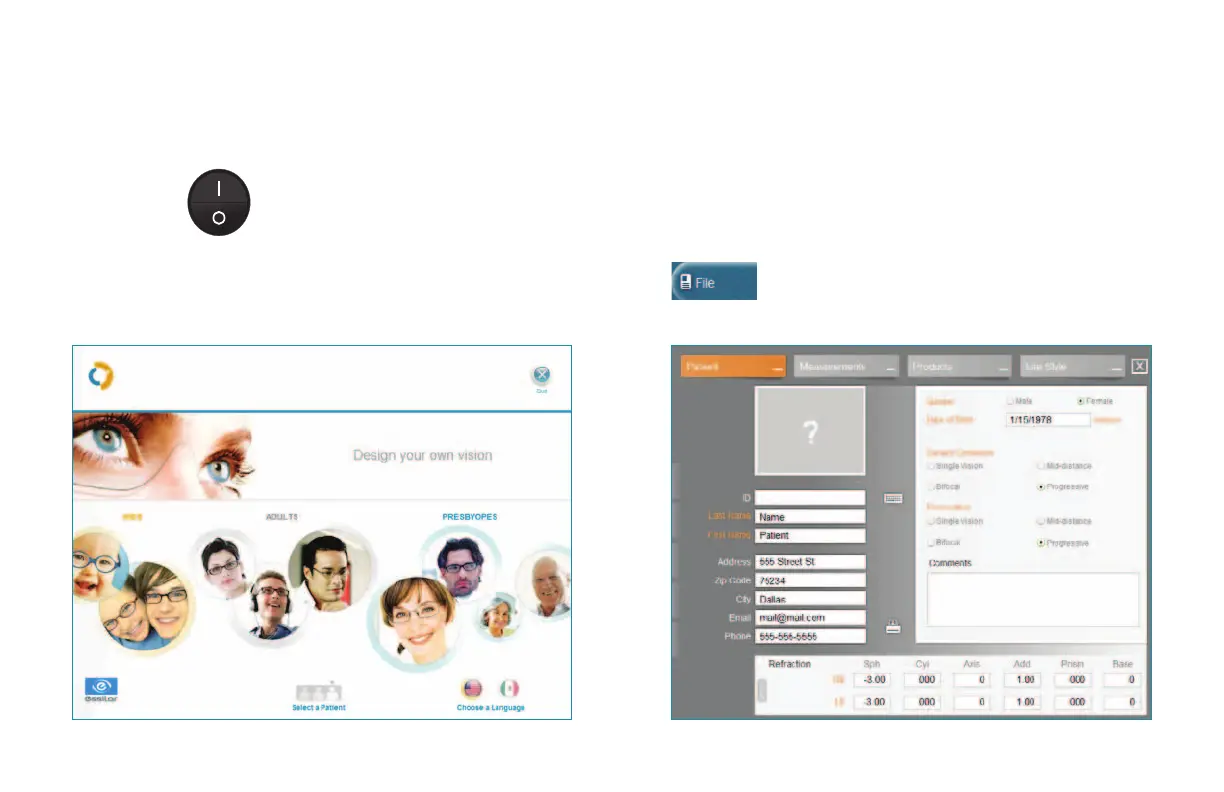
Select the appropriate Patient Category
from the Visioffice Home Screen based on
the patient’s prescription
Press on the File Button on the top right
of the screen to enter the Patient File
Data to be stored in the Patient Record


 To Next Page