10 www.eta.co.at
ETAtouch control panel BE-P2 Specifications
4.2 ETAtouch control panel BE-P2
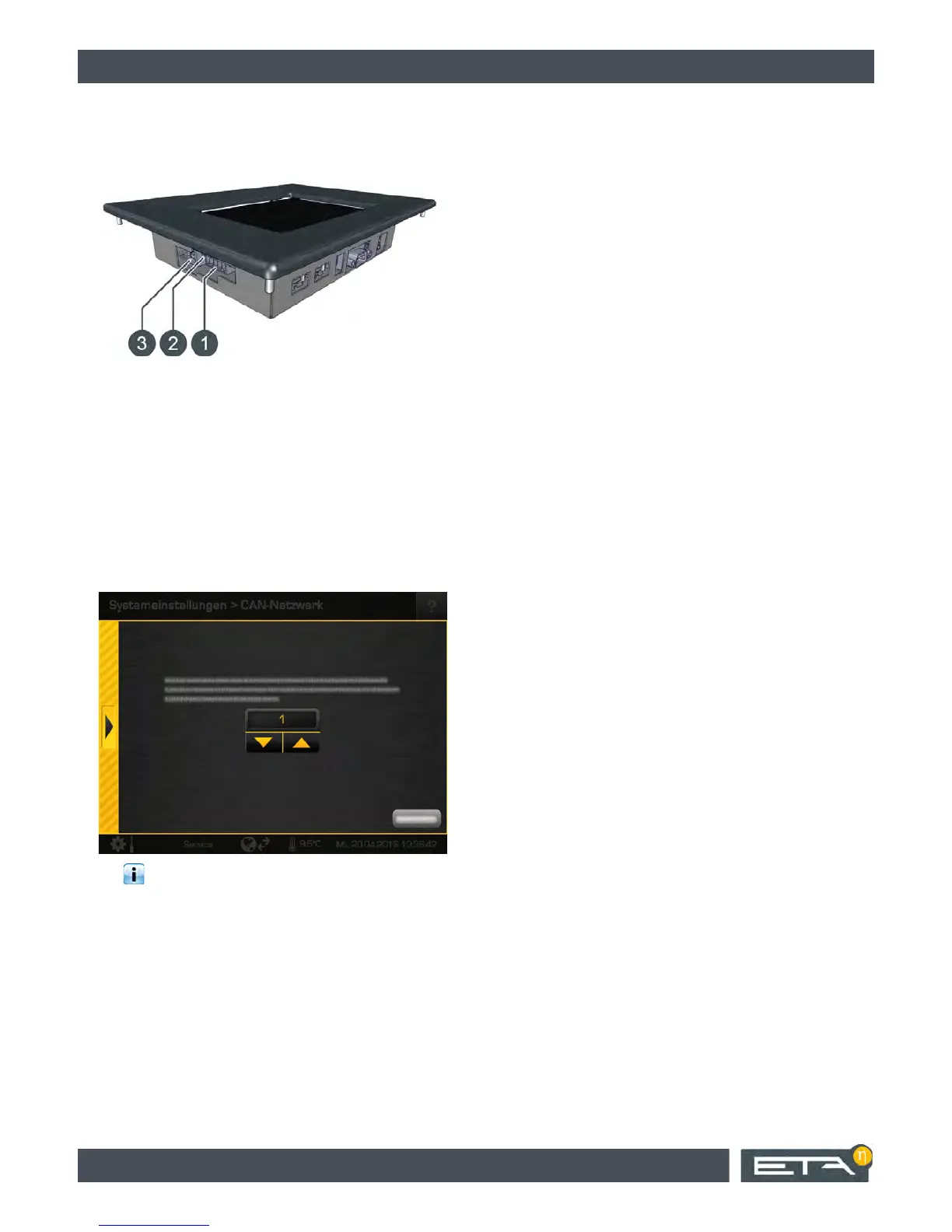
Overview
1 Socket for CAN bus line
2 Terminal for yellow jumper
3 Socket for data line
Set node number on ETAtouch control panel
1. Switch on the entire heating system.
2. On the ETAtouch control panel, increase the au-
thorization level to [Service].
3. Press the [CAN network] button. A window
appears where you can enter the desired node
number.
The values 0 to 7 are permitted for the node
numbers.
4. Restart the entire heating system. The change will
only take effect after the restart.


 To Next Page