18
ENGLISH
SETTINGS MENU
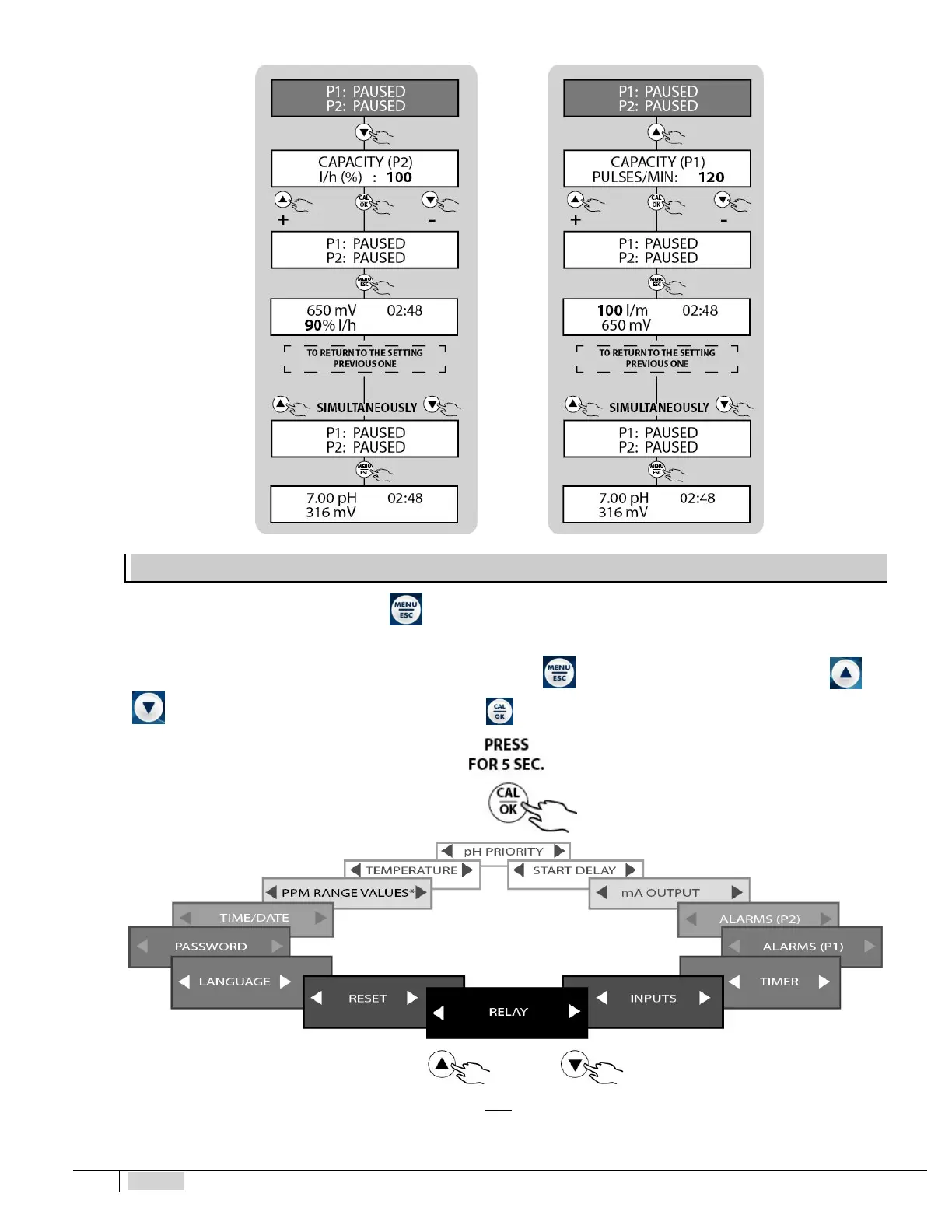
To access the SETTINGS MENU, press for at least 5 seconds both from MEASUREMENT mode and from PAUSE.
The following image shows the list of the different items of the SETTINGS submenu which can be accessed. Since it is a circular
menu, the device stores the last item selected before exiting by pressing
. You may scroll the different items using the and
keys and then selecting the concerned item by pressing
*PPM SCALE VALUES menu only included in the eTwin Cl-pH version
The following paragraphs extensively explain the operating procedures for conguration of the auxiliary functions.


 To Next Page