ETC Setup and Connect Guide
Paradigm
®
Touchscreen Interface
Paradigm Touchscreen Interface Setup and Connect Guide Page 5 of 12 Electronic Theatre Controls, Inc.
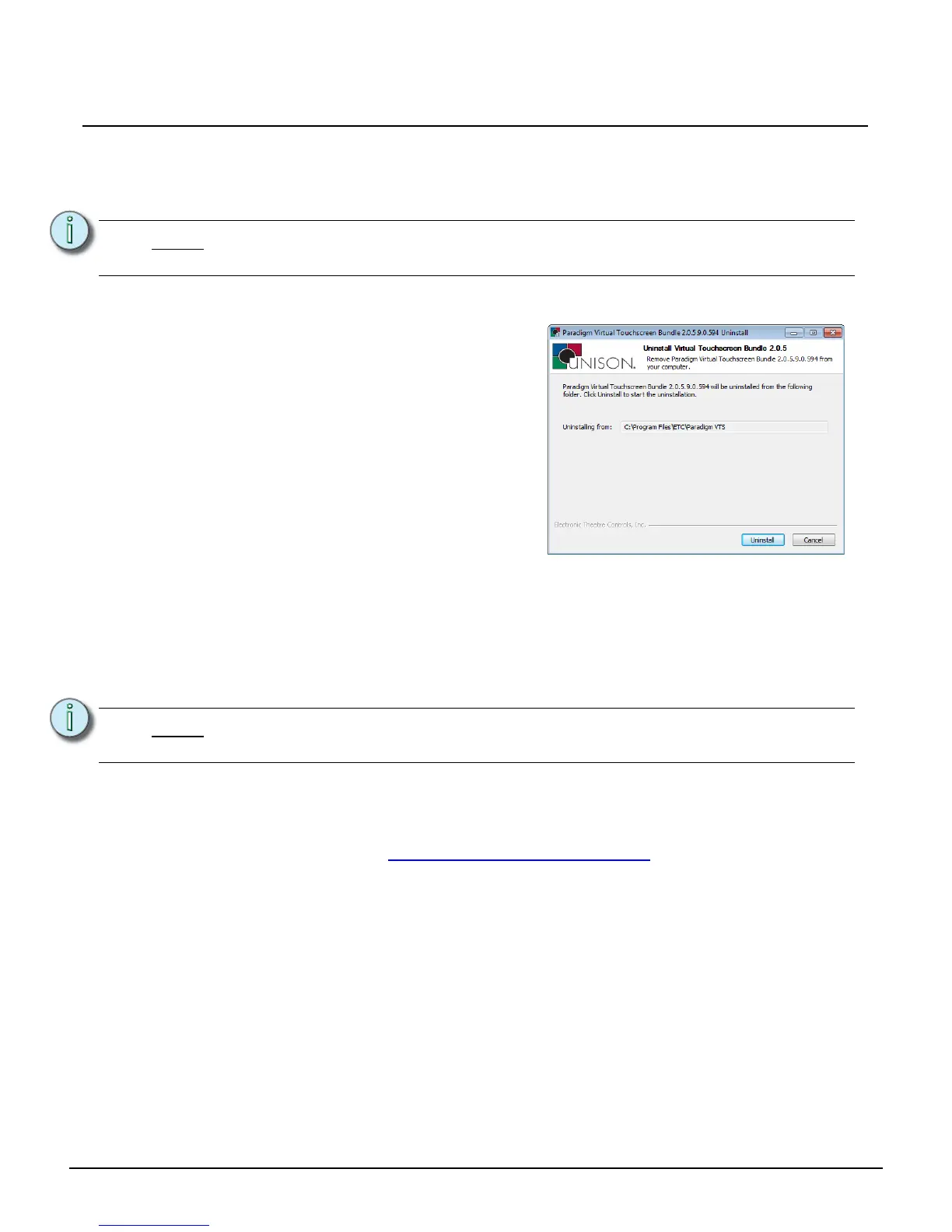
[Uninstall]
Only one instance of the Paradigm Virtual Touchscreen (P-VTS) software can be installed at a time. You
must uninstall any currently installed software before installing another.
Step 1: Touch to select [Uninstall]. The password dialog displays for password entry.
Step 2: Enter the password into the provided space then touch [Enter]. The Paradigm Virtual
Touchscreen Bundle Uninstall wizard displays for confirmation.
[Install from Removable Media]
The Paradigm Virtual Touchscreen (P-VTS) software installs from removable media (typically USB
device). Retrieve the P-VTS software file from the web interface of a connected Paradigm Central
Control Server (reference the documentation for the P-CCS for instructions). You must save the P-VTS
software executable (“paradigm_vts_installer.exe”) to the root directory of the removable media.
Step 1: Insert the removable media into a USB interface of the Paradigm
®
Touchscreen Interface.
Step 2: Touch to select [Install from Removable Media] button. The application wizard will
automatically begin installation of the P-VTS application. During this installation process,
the Touchscreen will shut down then restart again, automatically starting the P-VTS
software. The Paradigm Virtual Touchscreen Setup Guide is available for download on
the ETC website at www.etcconnect.com/downloads.aspx
.
Note:
The password is set, by factory default, to 4116. Change this password or remove the
requirement for a password in the [Set Password] section of the Advanced Tab.
Note:
The paradigm_vts_installer.exe file must be stored on the root directory of the USB
device.
Step 3: Touch the [Uninstall] button to proceed
with the uninstall process.
Step 4: Touch [Finish] to close the wizard. The
Application Shell returns to the “General”
tab where you can proceed to install
another version of the P-VTS software
from either removable media or an online
Paradigm Central Control Server (P-
CCS).



 To Next Page