ETC Setup and Connect Guide
Paradigm
®
Touchscreen Interface
Paradigm Touchscreen Interface Setup and Connect Guide Page 6 of 12 Electronic Theatre Controls, Inc.
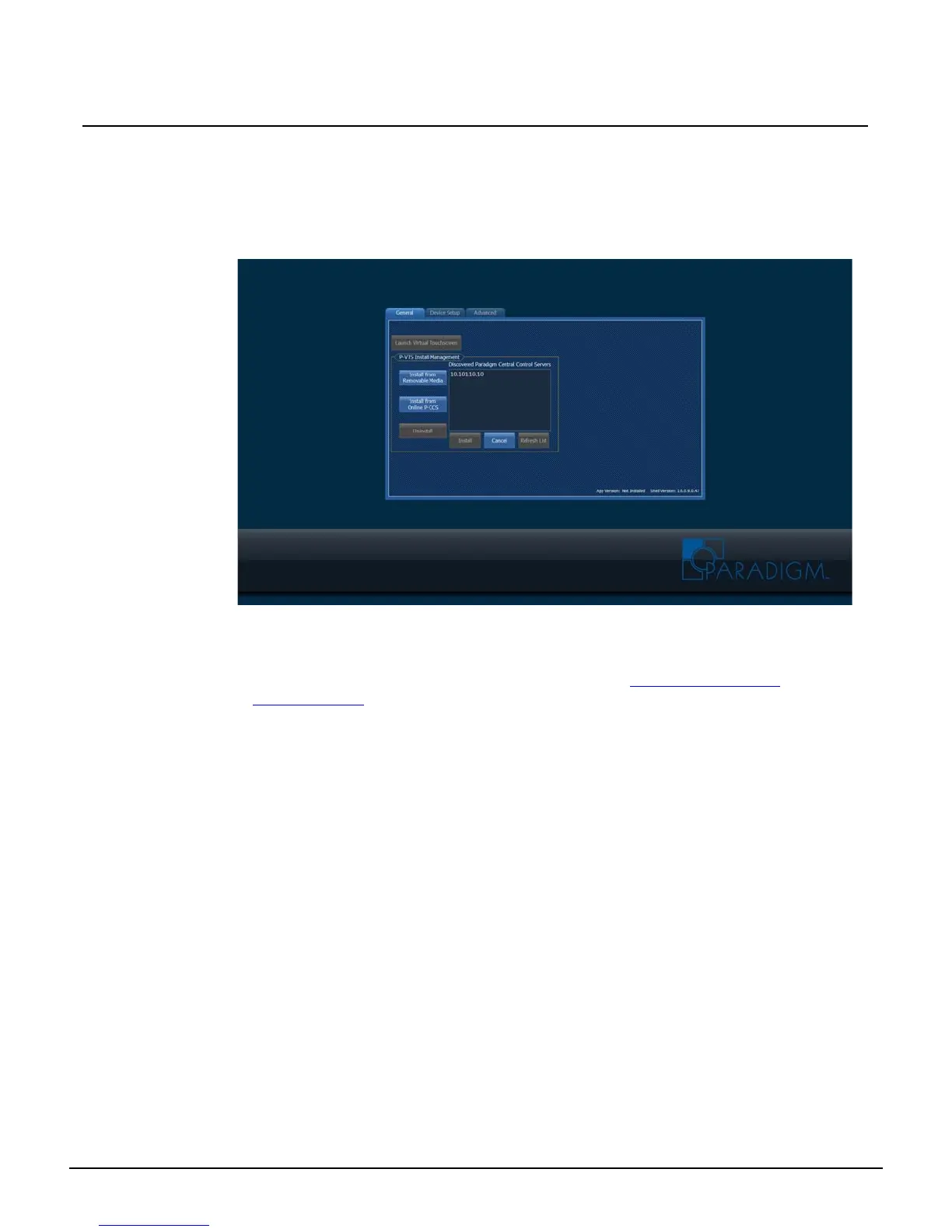
[Install from Online P-CCS]
The Paradigm Virtual Touchscreen (P-VTS) software installs from any discovered and online Paradigm
Central Control Server (P-CCS).
Step 1: Touch to select the [Install from Online P-CCS] button. The Application Shell provides
a list of all discovered P-CCS, by IP address. Be patient as this process could take up to
a minute depending on network traffic,
Step 2: Touch to select the server IP from the discovered list, then touch the [Install] button.
During this installation process, the Touchscreen will shut down then restart again,
automatically starting the P-VTS software. The Paradigm Virtual Touchscreen Setup
Guide is available for download on the ETC website at www.etcconnect.com/
downloads.aspx.
• To cancel the installation and return to the “General” tab, touch the [Cancel] button.
• To request a refreshed list of online and discovered P-CCS, touch the [Refresh
List] button.



 To Next Page