-13-
Note
Simple method for measurement of earth ground resistance also needs
to confirm that voltage value to ground must be lower than 10V. If the
voltage value is over 10V, the measurement value of earth ground
resistance may cause error and at that time, it shall firstly cut off power
on measured earthing equipment and make resistance measurement
after the earthing voltage is decreased.
8.Backlight Control
After startup, press button to turn on or off backlight. The backlight
function is suitable to dark spot. It will default backlight turn-off for each
startup.
9.Alarm Settings
After startup, press button for a brief time to open or shut off alarm
function, press button for a long time (about 3 seconds) to enter alarm
critical value settings, press or to change current digital, press
button to move cursor and then press button to store and exit. When
measurement value is larger than alarm critical settings value and it has
opened alarm function, the Tester will flash and display icon and give out
“toot-toot-toot--”alarming sound.
10.Data Lock/Storage
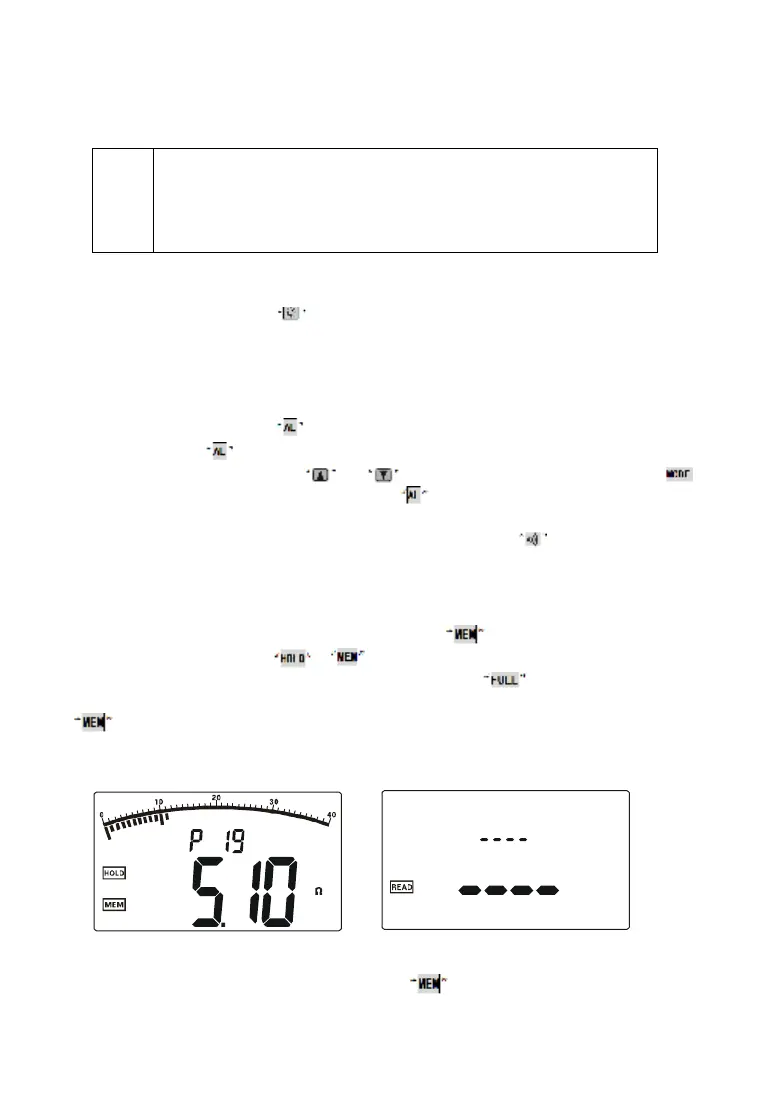
Startup or after measurement, press button to lock current
displayed data, showing , icon and automatically store with serial
numbers. If storage is full, the Tester will display icon. Each group of
stored data includes maximum, minimum and average value. And then press
button to remove lock.
As shown in the left figure below: the lock measurement data is 5.1Ω, as
the 19th group of data storage.
11. Data Reading/Deletion
Startup or after measurement, press button for a longer time (over


 To Next Page