-14-
3 seconds) to enter data reading, press or button to select reading
data group number by step value 1, press or button constantly to
select reading data group number by step value 10, press button to read
the maximum, minimum and average value of this group of data, and then
press button to exit from reading.
On reading if there is no storage data, LCD will display “- - - -”, see the
above right figure.
Under data reading status, press button to enter data deletion, press
or to select “no” or “YES”, selecting “no” and then pressing “MEM”
button for not deleting return data reading status, selecting “YES” and then
pressing “ MEM” button for deleting stored data and it will show as above right
figure after deletion.
12.Data Upload
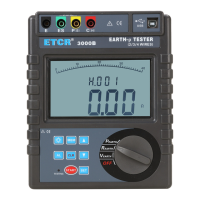
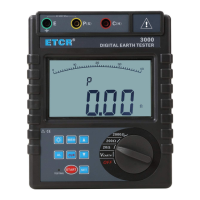
Make good connection of company with RS232 communication wire of
the Tester, switch on the Tester and run monitoring software, and if the
software displays that interface is open and the connection is successful,
then it can read the stored historical data, upload to company and preserve.
Monitoring software has the function of online real-time monitoring
and historical inquiry, dynamic display, with the maximum, minimum, and
average value indication, with alarm value settings and alarm indicator, and
the function of historical data access, reading, preserve, print and other
functions.
VIII. Battery Replacement
Please don’t replace battery in flammable spot
Please don’t replace battery during measurement
Pay attention to battery polarity and specification, and don’t
mix use of new and used battery to avoid damage on Tester
When the enclosure of Tester is wet, please do not open
battery cover
Please put the used batteries in appointed collection place.
1. Switch off; making sure that the Tester is under switch-off state.
2. Loosen the four screws on battery cover at the bottom of the Tester, and
open battery cover.
3.Replace new battery, pay attention to battery polarity and specification,
close battery cover, and fasten screw.
4. Switch on verification, otherwise re-operate.


 To Next Page