-17-
alarm symbol, also
issued intermittent
"beep--beep--beep--"
sound.
Setting process, press POWER key to exit Alarm Critical
Value setting function, return to measurement status, does not
change the previous settings.
In data access model, press MEM key to exit, then setting
Alarm Critical Value.
8.Access to Alarm Critical Value
Press AL key to enter the mode of resistance or current
measurement. Press down AL key for 3 sec, you can access to
check the alarm critical value, which would flashes in high-digit.
The value accessed was set in the last time. And again press down
AL key for 3 sec or POWER key to quit from the access state and
return to the measuring state.
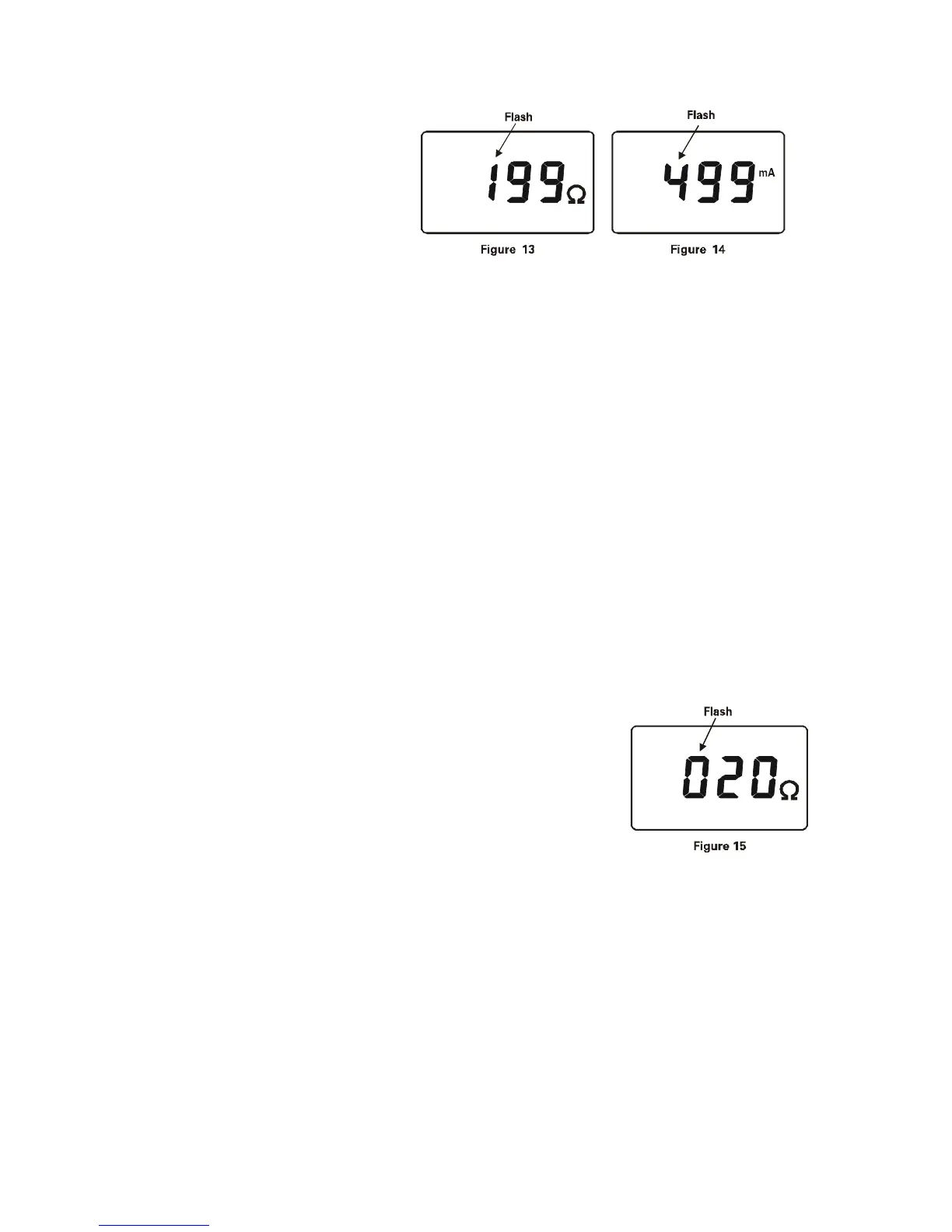
As indicated in Figure 15, the alarm critical
value of resistance set in the last time is 20Ω.
9.Clear Data
In the data access model, press MEM+POWER, automatism
clear all the stored data. After clearing display show in Figure 12.
The data can’t be restore after clear.
Note: "*" is limited to C+.



 To Next Page