16
dr
az
i
W
p
u
t
eSl
a
i
t
i
n
I
32A66-17
pu
t
e
S
V
T
Initial Setup Wizard
Setup Wizard
Air/Cable
Cable System
Auto Scan
English
Cable
STD
Select Mov e E x it
M E N U
Menu Language
After connecting the antenna o r cable connect ion to you r TV, turn the te levision on
The Quick Setup Wizard will display on-screen. Select your preferred picture setting
followed by antenna opt ions. Then perform an Auto Channe l Scan to store local
broadcast channels in the TV tuner memory.
How to Navigate
Menu Language
Cable or AIR
• Press the button to highlight Menu Language and then p ress the
buttons to select an on - screen display (OSD) language.
• Press the
button to highlight C AB LE o r AIR based on you r antenna connection .
Press the button to select Auto Scan and press ENTER . Note: when Cab le is se lected, ‘AU TO ’ is the
recommended sett ing. O the rwise, p ress the
button to
select the Cab le System: ST D > IRC > HRC > Auto .
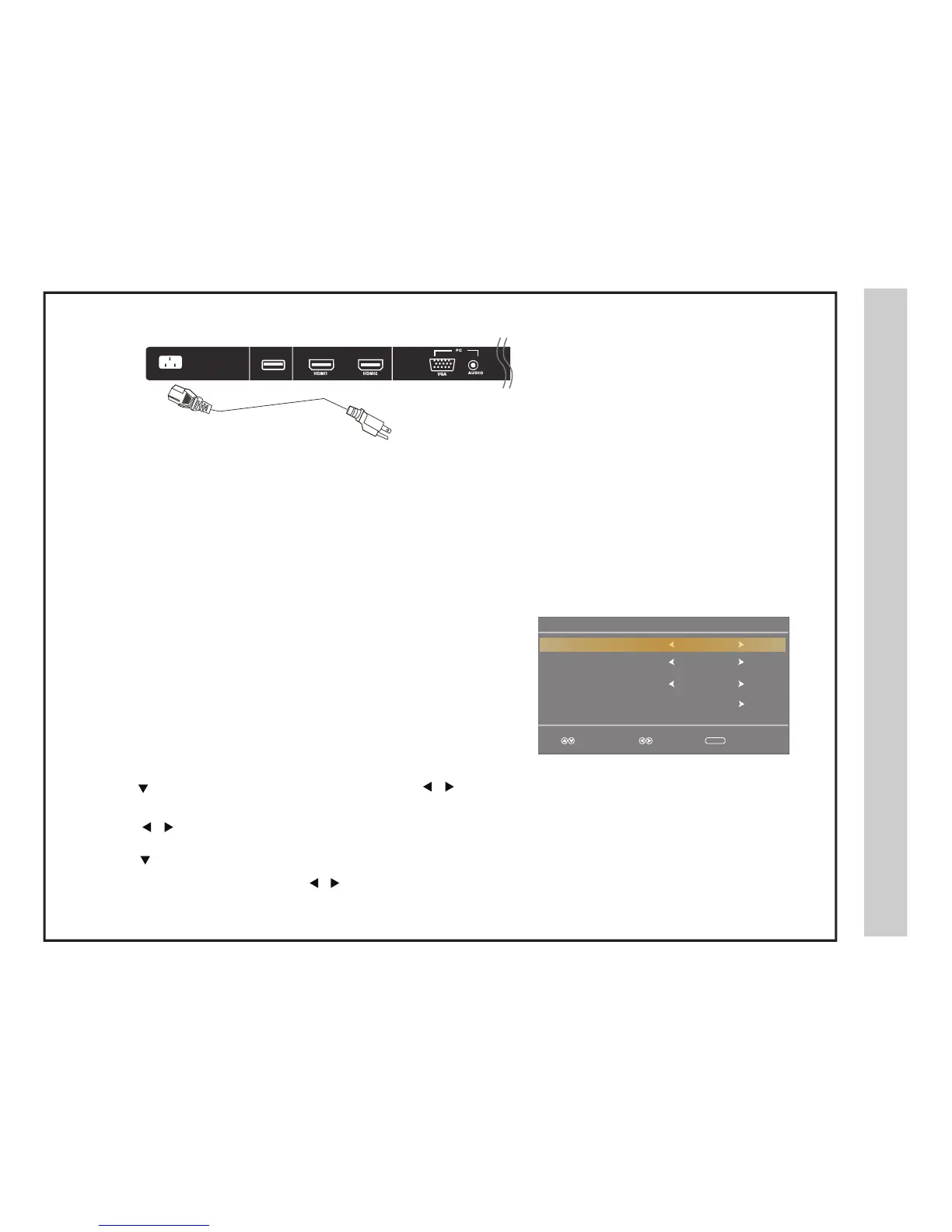
How to connect with Power Cord
Connection to Power Source
AC INPUT
Power Cord
.
Connect the power cord to the rear of the TV and plug power cord into wall recepticle.
USB
POWER


 To Next Page