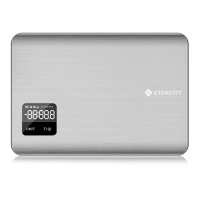
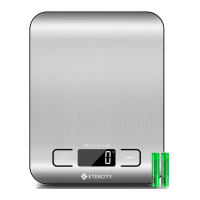
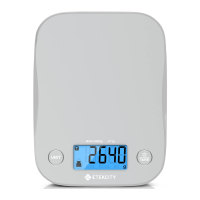
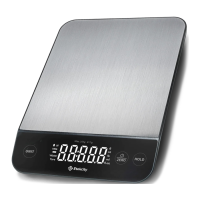
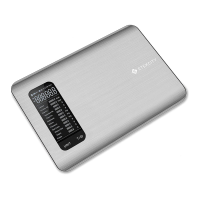
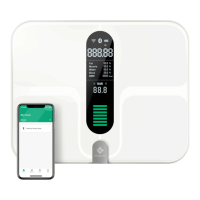
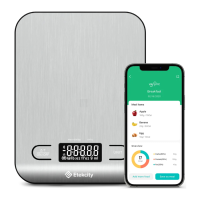
The Etekcity Digital Kitchen Scale, model EK9000, is a household appliance designed for precise measurement of food items and liquids. It is intended for general use in a kitchen setting, offering a range of features to simplify cooking and baking tasks.
Function Description
The primary function of the Etekcity Digital Kitchen Scale is to accurately measure the weight or volume of ingredients. It can measure items in various units, including grams (g), milliliters (ml), ounces (oz), and pounds and ounces (lb:oz). The scale is equipped with an LCD display that shows the weight value and the selected measurement unit. It also features indicators for Tare Mode, Milk, Water (Liquid), and Solids, allowing users to differentiate between different types of measurements and utilize the tare function effectively.
Usage Features
To begin using the scale, users must first ensure the pre-installed batteries are ready by removing a plastic strip from the battery compartment on the underside of the scale. After replacing the cover, the scale should be placed on a hard, dry, flat surface. The scale is turned on by pressing the Power/Tare button.
One of the key usage features is the Unit Conversion capability. Users can easily switch between different measurement units (g, ml, oz, lb:oz) by pressing the "UNIT" button until the desired unit is displayed. This flexibility is crucial for recipes that specify ingredients in various measurement systems.
The Zero / Tare Function is another essential feature, particularly useful when measuring multiple ingredients in the same container or when excluding the weight of a container itself. To use this function, the user first turns on the scale and waits for the display to show "0.00". If it doesn't, pressing the Power/Tare button will auto-adjust it to zero. The empty container is then placed on the scale, and once its weight stabilizes, the Power/Tare button is pressed again to "tare" or zero out the container's weight. Subsequent ingredients added to the container will then be measured without including the container's weight. To reset the scale after use, all items should be removed, and the Power/Tare button pressed again.
The scale is designed for ease of operation, with a clear LCD display that provides immediate feedback on measurements. Anti-skid pads on the bottom ensure stability during use, preventing accidental slips or movements that could affect accuracy. For optimal results, it is important to always place the scale on a stable, flat surface and keep it away from environmental factors like dirt, dust, vibrations, wind, air currents, and electromagnetic interference, which could impact measurement accuracy. Users are advised to wait for the display to read "0.00" before measuring, especially after turning on the scale, changing units, or using the tare function.
The scale also incorporates power-saving features. It has an Automatic Power Off function that turns off the device after 120 seconds (2 minutes) of inactivity, helping to conserve battery life. Additionally, users can perform a Manual Power Off by pressing and holding the Power/Tare button for 2 seconds.
Maintenance Features
Maintaining the Etekcity Digital Kitchen Scale is straightforward and primarily involves battery management and proper handling.
Battery Replacement is a key maintenance task. The scale uses 2 x 1.5V AAA batteries. When the low battery indicator "LO" appears on the display, or if the scale fails to turn on, the batteries need to be replaced. This involves turning the scale over, opening the battery compartment, removing the old batteries, and inserting new ones, ensuring correct polarity. It is important not to mix new and old batteries. For extended periods of non-use, it is recommended to remove the batteries to prevent leakage and prolong the scale's lifetime.
General Care and Handling are crucial for the longevity and accuracy of the scale. Users should avoid exceeding the maximum weight capacity, as this can damage the scale's sensors and lead to an "Err" message on the display. The scale should not be immersed in water or any other liquid. If liquids are spilled on the display or buttons, they should be immediately wiped dry with a soft cloth to prevent internal damage. The scale should be handled with care, as it is not designed for commercial or heavy-duty use. Storing the scale in a cool, dry place, away from damp environments or extreme temperatures, is also recommended to ensure its proper functioning. The device is intended for household use only.
Troubleshooting common issues is also part of maintenance. If the scale does not turn on, users should check if the plastic strip has been removed from the battery compartment, replace the batteries, and verify that they are inserted with the correct polarity. If readings are inaccurate, ensuring the scale is on a hard, flat surface, away from interferences, and waiting for "0.00" to display before measuring are important steps. Removing batteries for 45 seconds can also reset the scale if needed. If the display shows "Err", it indicates that the item is too heavy, and the item should be removed to protect the weight sensors.



 To Next Page

 General