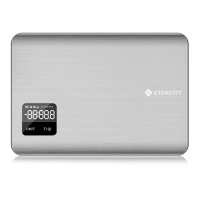
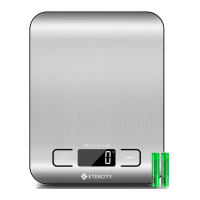
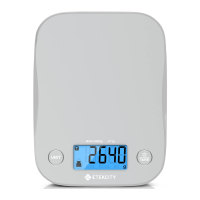
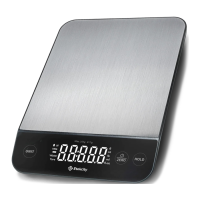
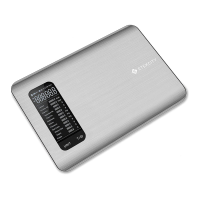
The Etekcity Digital Kitchen Scale, Model EK5250, is designed to provide accurate weight and volume measurements for various kitchen needs. This scale is intended for household use only and is not suitable for commercial or heavy-duty applications. Its primary function is to measure ingredients for cooking and baking, offering precision and ease of use.
Function Description
The digital kitchen scale operates by placing items directly onto its weighing surface or within the included plastic bowl. It features a digital display that shows measurements in various units, including grams (g), pounds and ounces (lb:oz), milliliters (mL), and fluid ounces (fl'oz). The scale has a maximum weight capacity of 11 lb or 5000 g.
A key feature of this scale is its tare function, which allows users to subtract the weight of a container (such as the included plastic bowl) from the total measurement. This ensures that only the weight of the ingredients is measured, providing accurate results. To use the tare function, simply place the empty container on the scale, press the TARE button, and the display will reset to "0.00". You can then add your ingredients to the container, and the scale will display their net weight.
The scale also includes a unit switching button, allowing users to easily cycle through available measurement units. For volume measurements, the scale can differentiate between water and milk, providing more accurate readings for these specific liquids. This is indicated by distinct icons on the digital display.
For power management, the scale uses two 1.5V AAA batteries. It is equipped with an auto-off feature that automatically turns off the scale after 2 minutes of inactivity to conserve battery life. A low battery indicator ("Lo") will appear on the display when the batteries need to be replaced.
Usage Features
To ensure accurate results, the scale should always be placed on a hard, dry, and flat surface. It is important to keep the scale away from dirt, dust, vibration, wind, air currents, and electromagnetic interference, as these factors can affect measurement accuracy. When turning on the scale, choosing units, or using the tare function, always wait for the display to read "0.00" before attempting any measurement.
When measuring weight, users can select between grams ("g") or a combination of pounds and ounces ("lb:oz"). For volume measurements, the scale offers milliliters ("mL") and fluid ounces ("fl'oz"). Users can specify whether they are measuring water or milk, which helps in obtaining more precise volume readings.
The scale is easy to operate with two main buttons: the UNIT button for switching measurement units and the Power/TARE button for turning the scale on/off and activating the tare function. To turn off the scale manually, press and hold the Power/TARE button for 3 seconds.
The scale comes with a plastic bowl that can be used for measuring ingredients. If using the bowl or any other container, it is recommended to place the empty container on the scale first, then use the tare function to zero out its weight before adding ingredients.
Maintenance Features
Proper care and maintenance will help extend the lifetime of the digital kitchen scale.
- Cleaning: The surface of the scale can be cleaned with a slightly damp cloth, followed by a dry, soft cloth to wipe away any moisture. A dry, soft cloth can also be used to wipe dust off the scale. It is crucial not to immerse the scale in water or any other liquid. If liquid is spilled on the digital display or buttons, immediately wipe the scale dry with a soft cloth to prevent internal damage.
- Battery Care: To conserve battery power and extend the scale's lifetime, remove the batteries if the scale will not be used for an extended period. When replacing batteries, ensure they are inserted with the correct polarity as marked in the battery compartment. Do not mix new and old batteries.
- Bowl Care: The included plastic bowl should not be washed in a dishwasher. It is recommended to hand wash the bowl only.
- Storage: Store the scale in a cool, dry place, away from damp environments or extreme temperatures.
- Weight Capacity: Do not exceed the maximum weight capacity of 11 lb / 5000 g, as this can damage the scale. An error indicator ("Err") will appear on the LCD display if the limit is exceeded.
Troubleshooting tips are provided for common issues. If the LCD display shows "Lo", it indicates low battery power, and new 1.5V AAA batteries should be installed. If the scale does not turn on, check if the batteries are properly installed with the correct polarity or if they need to be replaced. If the display shows "Err", the maximum weight capacity has been exceeded, and items should be removed from the scale. If readings are inaccurate, ensure the scale is on a level surface and reset the tare measurement to "0" before measuring. For any other problems, customers are advised to contact customer support.



 To Next Page
 General