EasyManua.ls Logo

ETNA AKI480ZT - User Manual

ETNA AKI480ZT
108 pages
Go to English
Print Icon
To Next Page IconTo Next Page
Loading...
INSTRUCTIES VOOR GEBRUIK
MODE D’EMPLOI
GEBRAUCHSANWEISUNG
INSTRUCTIONS FOR USE
INDUCTIEKOOKPLAAT MET AFZUIGING
TABLE DE CUISSON À INDUCTION AVEC EXTRACTEUR
INDUKTIONSKOCHFELD MIT INTEGRIERTEM ABZUG
INDUCTION HOB WITH EXTRACTOR
AKI480ZT

Table of Contents

Questions and Answers

  • C
    clinton54Aug 20, 2025
    What to do if my ETNA AKI480ZT is not working and the display is blank?
    • W
      waltersmithAug 20, 2025
      If the ETNA hob isn't working and the display is blank, it's likely due to a power issue. Check the fuses or the electric switch to ensure there is a proper power supply.
  • E
    Erin GonzalesAug 22, 2025
    Why does my ETNA AKI480ZT Hob display 'u' when I turn on a cooking zone?
    • A
      Andrew BoydAug 22, 2025
      If the ETNA hob display shows 'u' after switching on a cooking zone, it means the pan you're using isn't suitable for induction cooking or its diameter is too small. You should use a suitable pan.
  • O
    Omar MillerAug 25, 2025
    What to do if the fuse blows when I switch on my ETNA Hob?
    • G
      Gary HodgesAug 25, 2025
      If a fuse blows immediately when you switch on the ETNA hob, it indicates that the hob has been incorrectly connected. In this case, you should contact a professional installer to resolve the connection issue.
  • R
    Robert CastroAug 26, 2025
    Why do my pans make noise when cooking on my ETNA AKI480ZT Hob?
    • B
      Brandi SimmonsAug 27, 2025
      If your pans are making noise while cooking on the ETNA hob, it's due to the energy flowing from the hob to the saucepan. This is normal for some pans at high settings and won't damage the pans or the hob.
  • W
    Wayne SimpsonAug 28, 2025
    What to do if the ETNA Hob cooking zone stops and I hear a signal?
    • T
      Tara MccormickAug 28, 2025
      If a cooking zone on your ETNA hob suddenly stops working and you hear a signal, it means the preset time has ended. To stop the beeping, touch the plus (+) key.
  • K
    Karen MatthewsAug 29, 2025
    Why is there a flash symbol on my ETNA AKI480ZT Hob display?
    • H
      Hector AndersonAug 29, 2025
      If you see a flash symbol on the ETNA hob display, it could be because you've pressed two or more keys at the same time, or the control panel is dirty or has water on it. Avoid pressing multiple keys simultaneously and clean the control panel.
  • M
    Michele HardyAug 31, 2025
    Why does my new ETNA AKI480ZT Hob have a slight smell when I use it?
    • S
      Sonya QuinnAug 31, 2025
      If you notice a slight smell when using the ETNA hob for the first few times, it's because the new appliance is heating up. This is normal and will disappear after a few uses. Make sure to ventilate the kitchen.
  • A
    Alexandra BautistaSep 2, 2025
    What does 'E2' mean on my ETNA AKI480ZT display?
    • D
      Danielle HarrisSep 2, 2025
      If 'E2' appears on the ETNA hob display, it indicates that the pot is overheated. Allow the system to cool down by decreasing the power or removing the pot.
  • R
    Robert OliverSep 4, 2025
    What does 'Er 03' mean on my ETNA Hob display?
    • D
      debra23Sep 4, 2025
      If 'Er 03' appears on the ETNA hob display, it means there is liquid or a pot on the control zone. Dry and clean the glass, or remove the pot from the control zone.
  • A
    Adam CraigSep 6, 2025
    What does 'E3' mean on my ETNA AKI480ZT Hob display?
    • J
      jerryjohnsonSep 6, 2025
      If 'E3' appears on the ETNA hob display, it means you are using pots of inappropriate material or there is a possible loss of magnetic properties at a higher temperature. Use pots of a suitable material or replace the current ones.

Summary

Your Induction Hob

Introduction

This manual describes how to best use the induction hob, including background information and tips.

Description

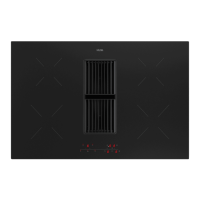
Diagram showing the induction hob with numbered cooking zones, downdraft inlet grid, and control panels.

Control Panel Overview

Detailed illustration of the control panel with numbered keys and their functions for hob and downdraft.

Safety Instructions

Temperature Safety

Hob sensor monitors temperature to prevent overheating and automatically switches off the zone.

Cooking Time Limiter

Safety feature that limits cooking time based on power level to prevent forgetting to switch off.

Healthy Cooking Tips

Guidance on selecting cooking oils based on their smoke points for healthier frying.

Using Your Induction Hob

Induction Hob Noises

Explanation of normal noises like ticking, pan sounds, and fan operation.

Suitable Pans for Induction

Criteria for selecting suitable pans, including base thickness, flatness, and material suitability.

Minimum Pan Diameter

Specifies the minimum required pan diameter for each cooking zone to function correctly.

Cooking Power Levels

Guide on selecting and using power levels 1-9 and the Boost function.

Boost Function Usage

Explanation of the boost function for rapid heating and its time limitations.

Pan Detection System

Details on how the hob detects pans and what happens if no suitable pan is placed.

Cooking Timer and Alarm

Instructions on setting a cooking timer or alarm for up to 99 minutes.

Display Indications

Explanation of various symbols and codes displayed on the hob for cooking zones.

Hob Functionality Table

Summary of key functions like Timer, Lock, and Downdraft with associated controls.

Cooking Level Guidelines

Recommended power levels for various cooking tasks and food types.

Downdraft Fume Extraction

Tips for optimal fume extraction by angling pan lids towards the extraction side.

Operating the Hob

Basic Hob Operation

Step-by-step guide to turning on/off the hob and selecting cooking zones.

Adjusting Cooking Power

How to change the heat level for a cooking zone using the +/- keys.

Stopping Cooking Zones

Procedure to stop a single cooking zone or the entire hob.

Setting Cooking Timers

Guide on how to set and adjust cooking timers or alarms for specific zones.

Child Lock Function

Instructions for activating and deactivating the child lock feature to prevent unintended changes.

Downdraft Fan Operation

How to operate the downdraft fan, including selecting speeds and modes.

Downdraft Specific Controls

Details on filter reset keys, timer, and boost key for the downdraft fan.

Hob Maintenance

Cleaning the Hob Surface

Guidance on cleaning the glass surface, including daily care and stain removal.

Grease Filter Maintenance

Information on grease filter indicator, cleaning the filter, and resetting the indicator.

Odor Filter Care

Explanation of the odor filter indicator and maintenance requirements for recirculation mode.

Troubleshooting Guide

General Troubleshooting

Advice for common issues like cracked glass and initial setup routines.

Symptom Resolution Table

A table listing symptoms, possible causes, and solutions for common operational problems.

Appliance Error Codes

List of error codes displayed on the hob, their meanings, causes, and solutions.

Technical Specifications

Regulatory Information

Technical data and measurements of the AKI480ZT model according to EU regulation 66/2014.

Environmental Aspects

Disposal Guidelines

Information on the responsible disposal of the appliance and its packaging at the end of its lifecycle.

ETNA AKI480ZT Specifications

General IconGeneral
BrandETNA
ModelAKI480ZT
CategoryHob
LanguageEnglish

Related product manuals