EN 10
Switching on and power setting
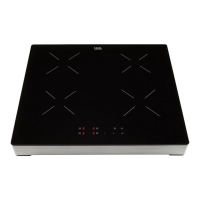
The power can be set to 9 different levels. The rear cooking zone
also has a 'boost' level which is indicated by a 'P' on the display (see
'Boost').
1. Place the pan in the middle of a cooking zone.
2. Touch the On/Off key.
▷ You will hear a single beep and a '0' will appear in the display
next to each cooking zone. If you don't do anything else, the
cooking zone will switch off automatically after 10 seconds.
3. Touch the selection key for the cooking zone concerned.
▷ The '0' next to the selected cooking zone will light up clearly.
4. Using the minus (-) and plus (+) keys to select the preferred power
level. When you select the – key directly, the cooking zone will be
switched on at power level 9.
▷ The set power is visible in the display.
Switching off
Switching off one cooking zone
One cooking zone is switched on. The display shows a power level
between 1 and 9, or "P".
1. Touch the selection key for the cooking zone to be switched off.
2. Set the cooking zone to '0' with the minus (-) key.
▷ The cooking zone switches off.
▷ The hob switches off after 20 seconds, if all cooking zones are
set to '0' and no other process is being used.
Switching off all cooking zones
Several cooking zones are active.
1. Touch the On/Off key to switch off all cooking zones.
▷ You will hear a beep. All displays are off.
▷ The hob is switched off.
OPERATION



 To Next Page