Manual EKS Electronic-Key Adapter USB
094485-04-11/13 Subject to technical modifications Page 29/44
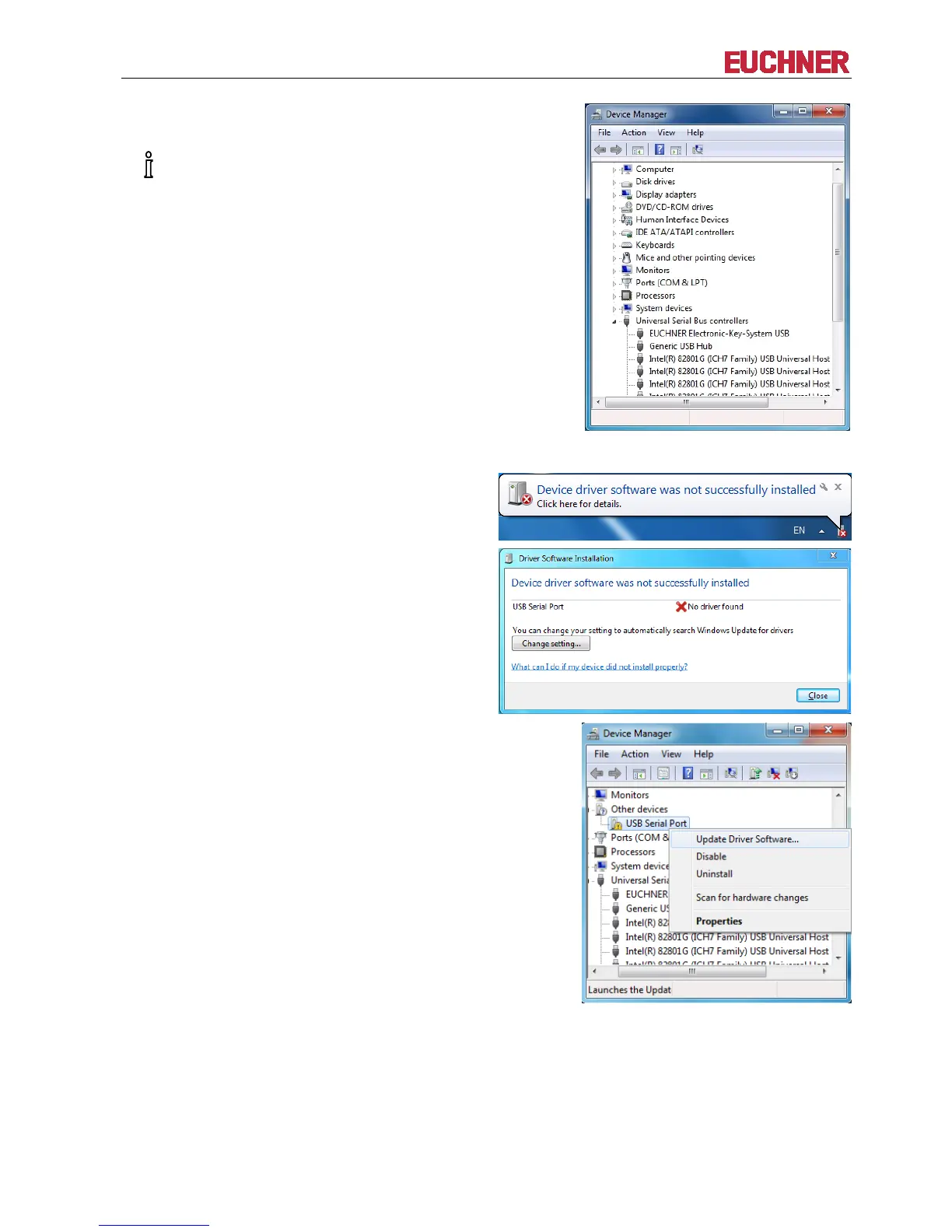
An entry now appears in the list of USB controllers:
EUCHNER Electronic-Key-System USB
visible only if the Electronic-Key
The virtual serial COM port driver is additionally installed in the second step.
Windows will now typically display another message in
the task bar stating that it is looking for device driver
software. The USB Serial Port driver will not be
installed automatically. Instead, this is done manually
as follows. Close this window if necessary.
Find the entry USB Serial Port. Right-click on the
entry and select Update Driver Software…


 To Next Page