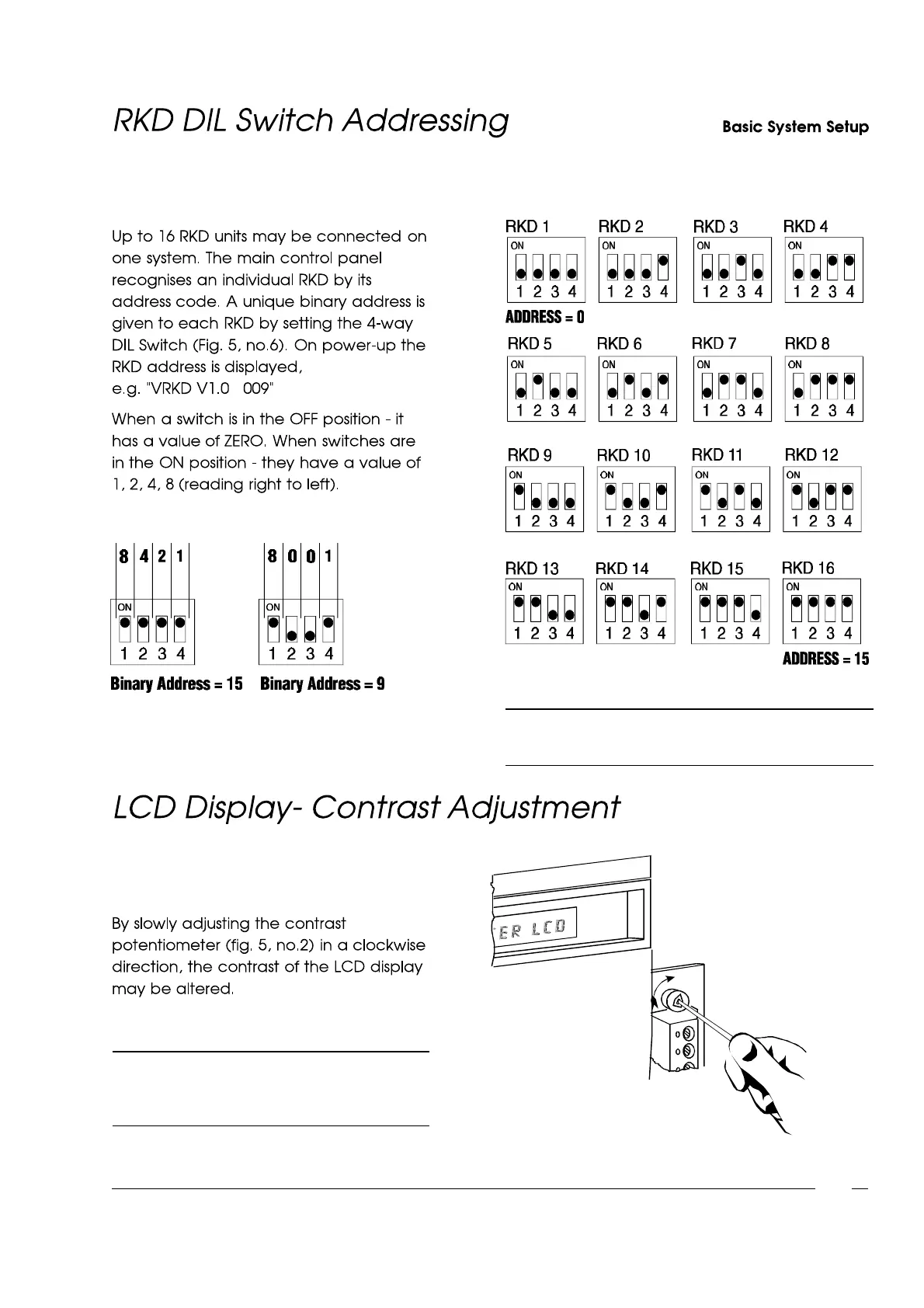
Fig. 7 - Binary AddressExamples
Fig. 8 - RKD DIL Switch Addressing
Fig. 9 - Contrast Adjustment
NOTE: Split systems- RKD 1 to 8 (address0-7) = Split 1
RKD 9 to 16 (address 8-15)= Split 2
NOTE: When the potentiometeris adjusted to
the end of its travel the display is no
longer visible.
1-7



 To Next Page