APOLLO Windows XP Embedded Quickstart Setting up Windows Embedded Studio
© 2007 Eurotech Ltd Issue E 33
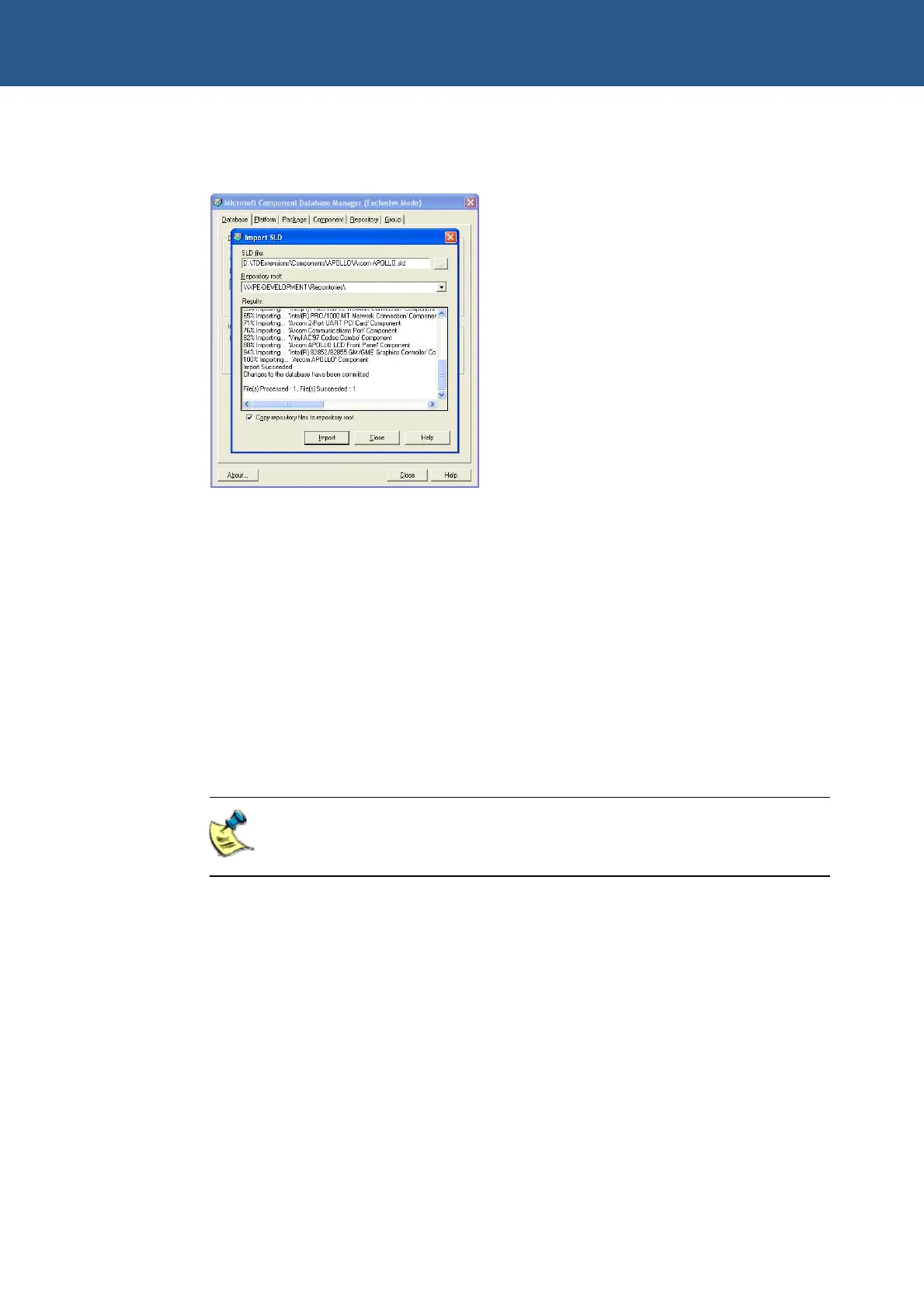
5 Click on Import. Target Designer imports all files required for the APOLLO and
adds them to its internal database:
6 Click on Close.
7 Repeat steps 3 through 6 to for the Arcom Common Components.sld file in the
following folder:
C:\Arcom\APOLLO\TDExtensions\Components\Common
7 Repeat steps 3 through 6 to for the KB912883.sld file in the following folder:
C:\Arcom\APOLLO\TDExtensions\Components\HotFixes
8 The Arcom APOLLO.sld file contains a design template for the APOLLO board.
The design template has all the components for all the devices on Eurotech Ltd’s
APOLLO board. If you want to create a new configuration, you can add this
component to your configuration. This design template appears as Eurotech Ltd
APOLLO under Design Templates in the list of components.
The StandardXPe image includes the QFE update KB929403 for File
Based Write Filter. If you wish to rebuild the StandardXPe image, this
update must be downloaded from Microsoft’s website.



 To Next Page