APOLLO Windows XP Embedded Quickstart Unpacking and connecting up
© 2007 Eurotech Ltd Issue E 10
Unpacking and connecting up
Eurotech Ltd’s Windows XP Embedded Development Kits are shipped ‘ready to run’.
You simply remove the various items from their packaging and connect them up.
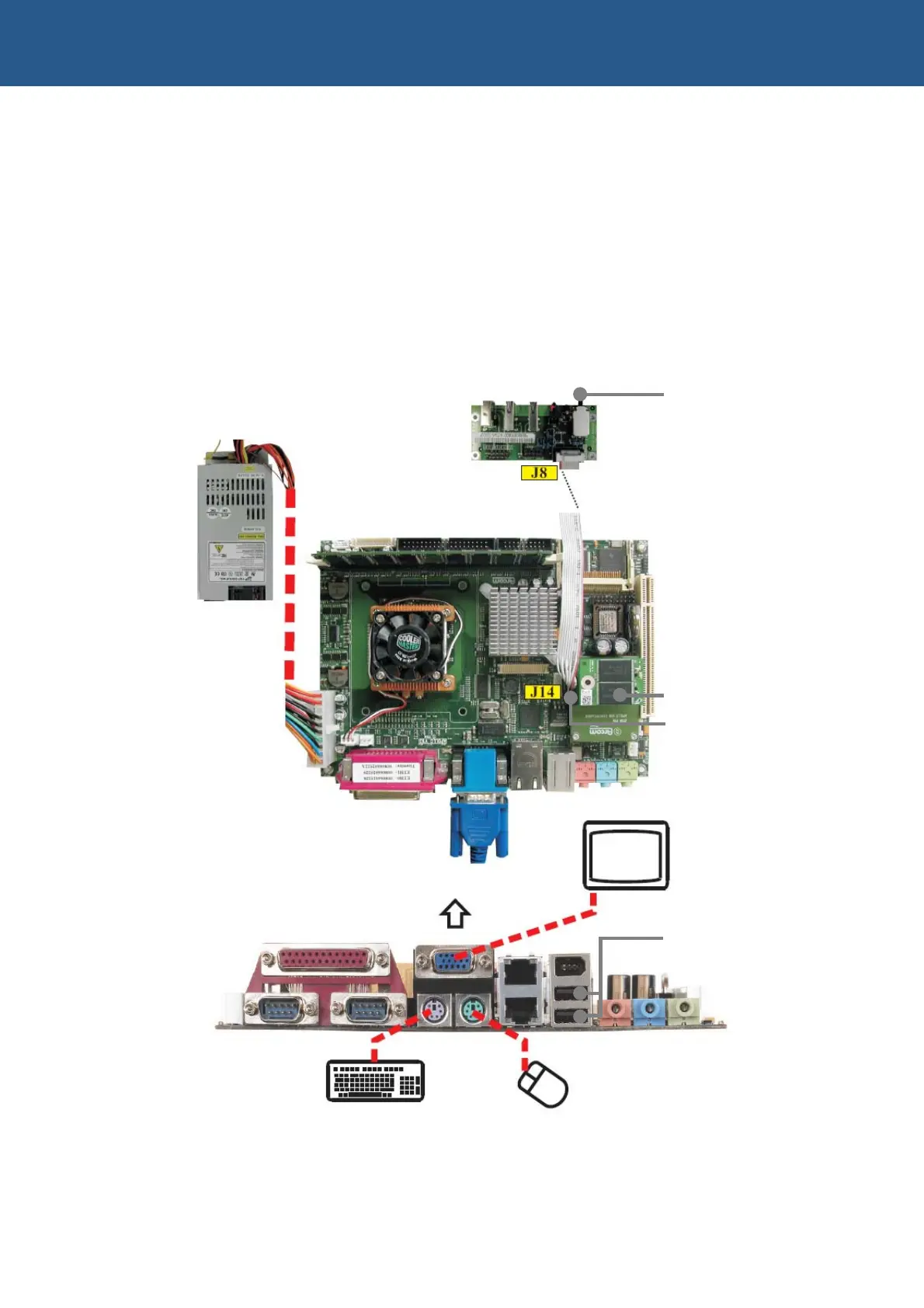
Using a VGA monitor
If you are using a VGA monitor, you can get started quickly and ensure everything is
connected properly by referring to the diagram and procedure below.
On/off
Flash disk
Pin 1 of ribbon this end
USB ports can be used
for keyboard or mouse
APOLLO
breakout
board



 To Next Page