APOLLO Windows XP Embedded Quickstart Security and image duplication
© 2007 Eurotech Ltd Issue E 44
8 Navigate to the Exit section using the Æ and Å arrow keys, select Exit Saving
Changes and press Enter.
9 It will take approximately 3 minutes to boot the image of XP Embedded contained
on the DVD.
If a window appears with the message “This disk or device contains
more than one type of content. What do you want Windows to do?” click
the Cancel button.
10 Click on the START button, and select COMMAND PROMPT.
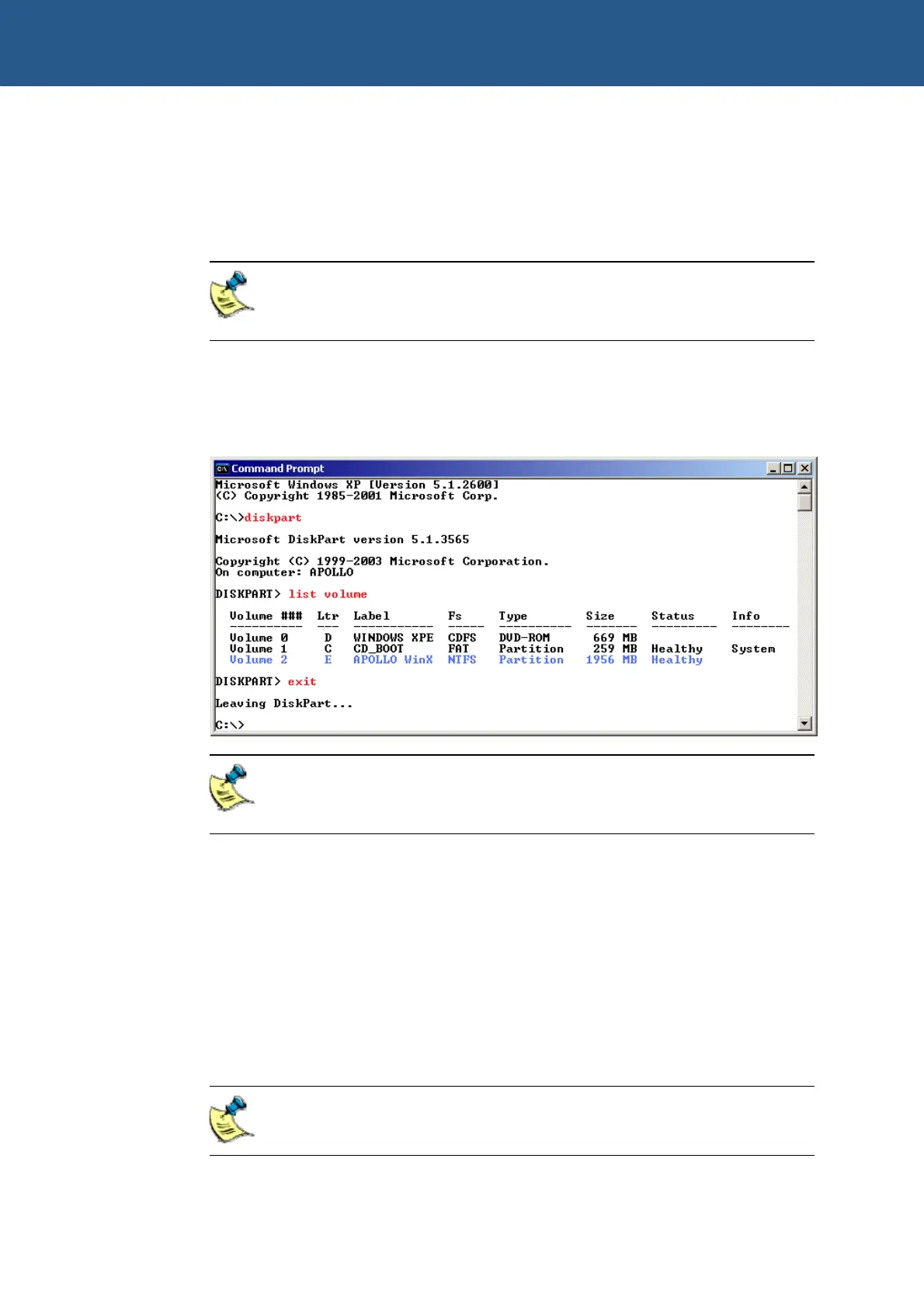
Refer to the screenshot below and type the commands show in red to determine
the drive letters allocated to each drive.
The Intel USB Flash Disk is the device which is 1956MB in total size. In
the example shown above, it has the drive letter E: assigned to it, and is
highlighted in blue
For this example we will assume that the drive letters are the same as shown in the
screenshot. If they differ on your system, you will have to change the commands
accordingly.
11 Change to your DVD drive by typing D:
12 Change directory to the folder containing the CFCLONE tool by typing
CD\TOOLS\CFCLONE
13 Type the following command to copy the image on the flash disk to a network
location: CFCLONE E: \\MYSERVER\MYSHARE\MasterImage.bin /S
You will need to replace the \\MYSERVER\MYSHARE\ with the name of
your own network location.



 To Next Page