44 45
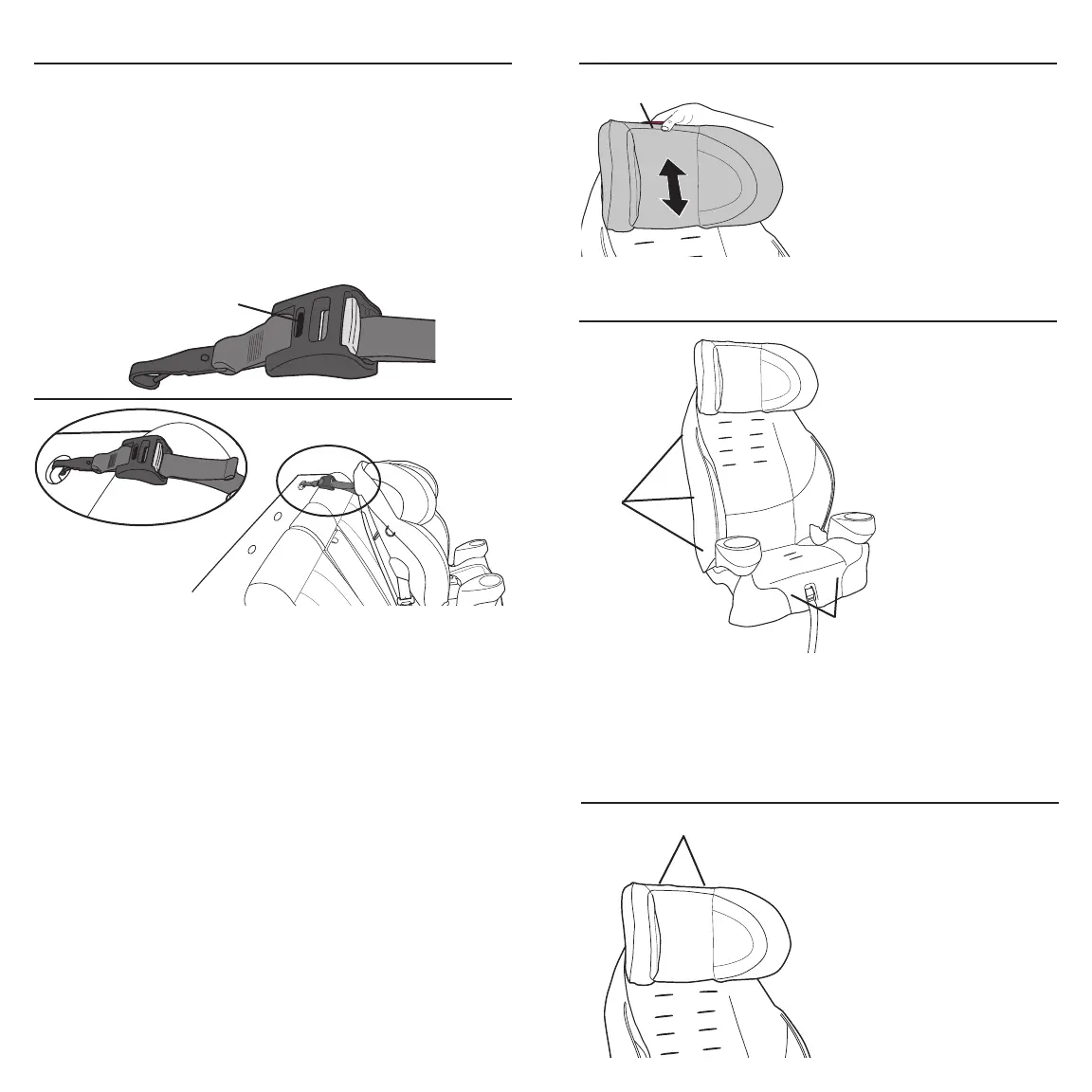
Connect the Tether Hook to the anchor behind the vehicle
seat, as shown. Pull the strap until you see green in the
tightness indicator display. Once it has turned green, you
have removed all slack and the Tether Strap is adequately
tightened. Be sure to check it periodically to make sure the
indicator is still green. If no green is showing, pull the strap
until it is.
Tether straps equipped with the TruTether adjuster attach
to vehicle tether anchor brackets exactly the same as Tether
Straps with standard tether adjusters. TruTether adjust-
ers, however, are equipped with a Tightness Indicator that
shows, at a glance, whether the Tether Strap is properly
tightened. When the Tightness Indicator Display is “green,”
the Tether Strap is tight enough.
Using the TruTether Adjuster
Not available on all models.
TruTether Adjuster
Tightness Indicator
Display
To adjust, press the lock
release button, as shown,
while sliding the headrest
up or down to the desired
position.
IMPORTANT: When the
headrest is in one of the four
locking positions, the locking
button will pop into its original position.
Adjusting the Headrest
Lock Release Button
Removing Seat Pad
1. Disconnect the harness straps from the splitter plate.
2. Disconnect all J-clips and all retaining strips.
Remove the seat pad.
Retaining Strips
(on some models)
J-clips
Removing Headrest Pad
J-clips
Disconnect all J-clips
and remove the
headrest pad.



 To Next Page