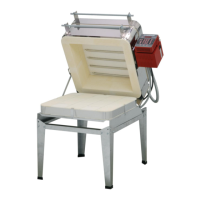
The provided document is an operation manual for the Evenheat Icon / Spark kiln controller, a versatile touch screen device designed to regulate kiln temperature for various firing applications such as ceramics, glass, jewelry, and heat treating.
Function Description:
The Genesis Spark controller acts as the "brain" of the kiln's control system, adjusting a traveling set point according to a programmed firing rate, reading kiln temperature via a thermocouple, and cycling the relay on or off to maintain the desired temperature. It offers a range of programming options, including preset ceramic programs with cone fire programming, preset glass firing profiles, and 30 customizable programs. The controller also features Wi-Fi capabilities for software updates, built-in diagnostics, and maintenance logging.
Important Technical Specifications:
- Temperature Control: Regulates kiln temperature for ceramics, glass, jewelry, and heat treating.
- Operating Temperature: Not to be operated above 160°F (71°C).
- Thermocouple Placement: The thermocouple probe should protrude approximately 1” to 1-1/2” into the firing chamber.
- Cone Offset: Adjustable by a maximum of 99°F (37°C) to correct under-firing or over-firing.
- TC Offset: Adjustable by a maximum of 99°F (37°C) to balance heat-work in zone controller kilns.
- PID Gain: Adjustable setting (consult kiln manufacturer).
- Dampening Factor: Acceptable factors are between 1-10 (typically set by kiln manufacturer).
- Custom Programs: 30 user program slots; programs 1-12 have 32 segments each, while 13-30 have 8 segments each.
- Ramp Rate Range: Minimum 1, Maximum 9999.
- Temperature Range: Minimum 0, Maximum 2400.
- Hold Time Range: Minimum 0:00, Maximum 99:00.
- Log Files: Stores temperature data every 30 seconds and event data (holds, errors). The last 10 firings are stored.
- Wi-Fi: Supports Wi-Fi for firmware updates and connection to the Cloud API.
- Relay Health: Tracks on/off cycles for each relay.
- Firing Hours: Displays total hours fired by the controller.
- Error Codes: Provides diagnostic information for various kiln and controller issues.
Usage Features:
- Quick Start: A three-step process to load a program, review/edit it, and start firing.
- Home Screen Overview: Displays current temperature and provides access to Menu, Fire, and History options.
- Menu Navigation: Allows viewing, adjusting, and configuring controller settings.
- Data Menu: Contains Last Firing Status, Last Error Status, Last Manual Diagnostics, Factory Diagnostics, Last Element Change, Export Log Files, and Kiln Info (firmware version, serial number, MAC address).
- Adjustments Menu: Allows modification of Cone Offsets, TC Offsets, PID Gain, and Dampening Factor.
- Configuration Menu: Includes Error Codes (on/off), UI Theme (color schemes), Customization (enabling/disabling firing type menus), Temperature F/C (Fahrenheit/Celsius selection), Cost Setup (energy cost calculation), Start Code (4-digit code to start firing), WiFi setup, Calibrate Touch, and Software Reset.
- Restore Presets: Option to restore all preset programs and offsets to factory settings, including Cone Offsets, Glass firing settings, and the entire controller to default factory settings.
- Factory Protected: Manufacturer-set kiln-specific parameters (thermocouple type, top temperature, board temperature).
- Firing Options (Fire Button): Access to Cone Fire, Glass, PMC, Heat Treat, Custom, and Library programs.
- Cone Fire Programming: Choose cone number, optional preheat time, firing speed (Fast, Medium, Medium Slow, Slow), and optional hold time.
- Glass Programming: Choose firing type, firing speed, COE (Coefficient of Expansion), and optional hold time.
- Custom Programming: Create and name programs with up to 32 segments (or 8 segments for slots 13-30), defining ramp rate, target temperature, and hold time for each segment. Allows editing, inserting, and deleting segments.
- Firing Review Screen: Displays program details after programming, with options to Start, Schedule (view segments), or Graph (view program profile).
- During a Firing:
- Stop: Immediately stops the firing.
- View: Access current temperature, Firing Review Screen, Segment Status screen, or a graph of the firing.
- Adjust: Make adjustments during a firing.
- During a Hold: "Add Time" (adds 5 minutes) and "Add Temperature" (increases hold temperature by 5°F).
- During a Temperature Ramp: "Skip Step" (skips current segment).
- End of Firing: Displays "COMPLETE" with current temperature and firing time; press "Clear" to return to IDLE. Kiln can be opened when temperature cools to 150°F (65°C).
- History: Lists recent firings, allowing users to view data, copy programs to custom slots, or restart a firing with the same settings.
- Wi-Fi Menu: Displays Wi-Fi Status (network, signal strength, Cloud API connection), Enable Wi-Fi (Off, On When Firing, Always On), Wi-Fi Setup (scan for networks, enter password), Update Firmware, Reset Wi-Fi, Manual Wi-Fi Setup (for hidden networks), and Advanced Wi-Fi (for network administrators).
Maintenance Features:
- First Firing: Recommended to put a protective oxide layer on elements and thermocouple without ware.
- Thermocouple Care: Ensure thermocouple is properly placed (1-1/2” into chamber), avoid contact with shelves/ware, and avoid firing clay with high sulfur content to prevent erosion.
- Run Manual Diagnostics: Manually initiates a diagnostic test to read voltage for each section of elements.
- New Element Diagnostics: Records voltages for new elements after replacement.
- Run Power Test: Full power test to check relays and elements, visually inspecting elements for even glow.
- Relay Health: Tracks relay cycles, with a RESET button to clear count after replacement.
- Error Codes: Provides descriptions and possible causes/corrections for various errors (e.g., slow heating, temperature deviations, software errors, thermocouple issues, power loss).
- Export Log Files: Allows activation of Server Mode to download temperature and event data files for analysis.
- Kiln Info: Provides firmware version, serial number, and MAC address for registration and viewing at www.bartinst.com. Firmware updates do not affect firing programs.
- Calibrate Touch: Re-calibrates the touch screen if buttons are unresponsive.
- Software Reset: Restarts the controller.

 Need help?

 To Next Page
 General