EZN268
23
Create Certificate Request
You can apply for an official certificate from an issuing Certificate Authority.
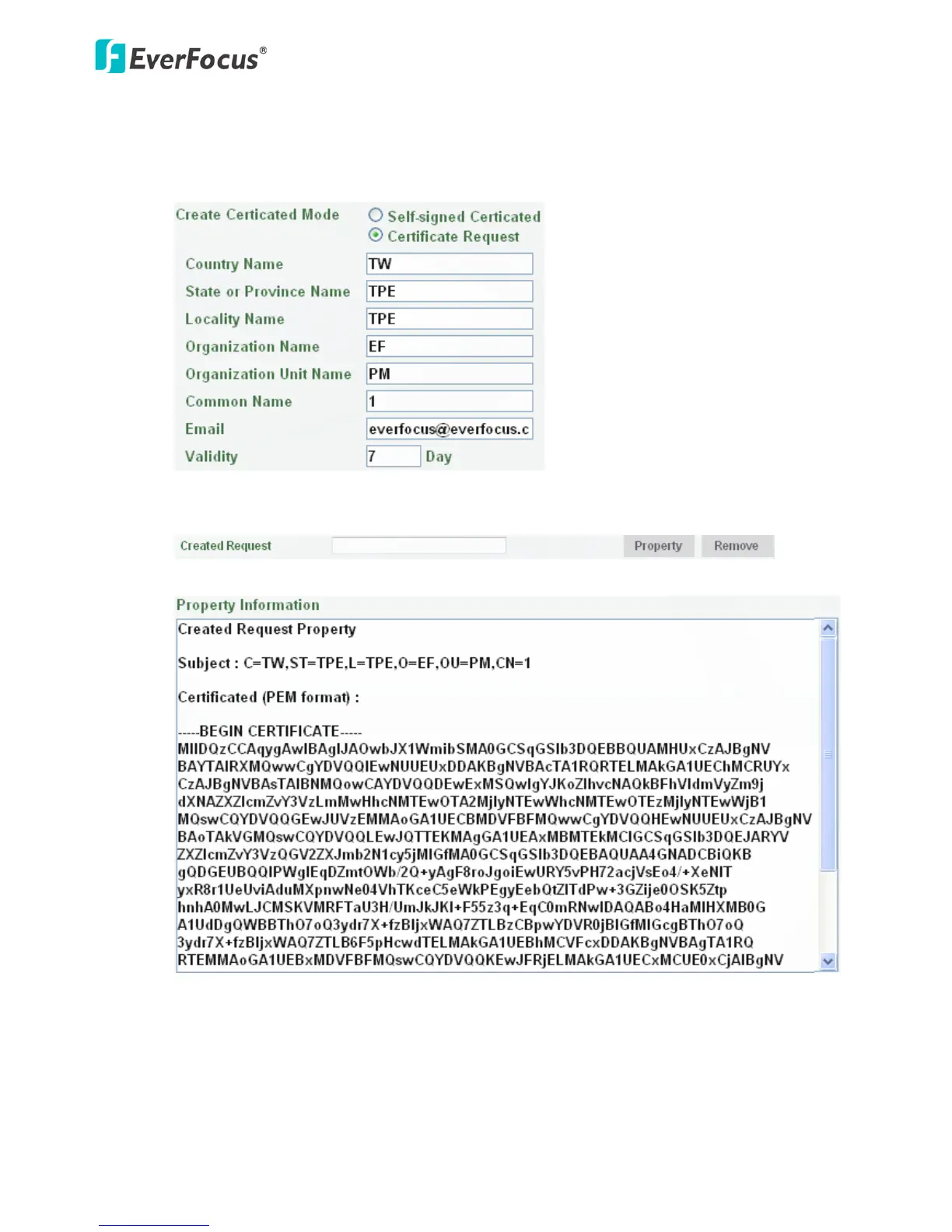
1. Select Certificate Request and fill in the following information.
2. Type the required Certificate information and then click the Apply button. The subject line will
be displayed in the Created Request field
3. Click the Property button, a pop-up window appears to display the details of the certificate.
4. To optionally create and install other certificates or request, remove the existing one by clicking
the Remove button to erase the certificate or request.
5. Copy the contents of the Certificate request (in PEM format) and paste it to the certificate
request field on the Web page of the 3
rd
-party certification authority such as Symantec VeriSign.
Wait for the certificate authority to issue an SSL/TLS certificate and then download the issued
certificate on your computer.


 To Next Page