EZN3261/3361
11
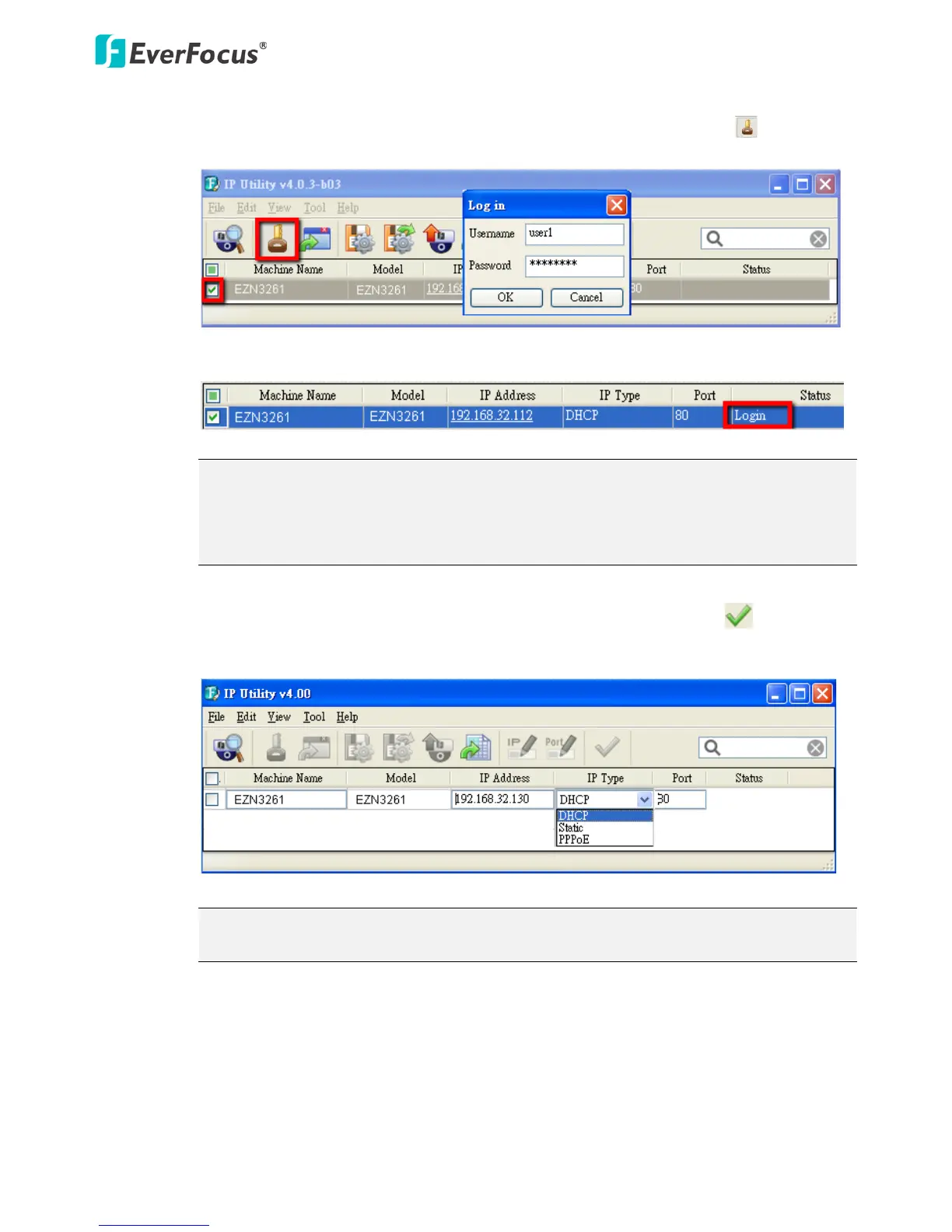
4. To optionally configure the Machine Name, IP Address, IP Type or Port Number using the IPU:
a. Log in the camera by checking the desired model and then click the Log in icon. The
Log in dialog box appears.
b. Type the Username and Password. Click the OK button, the Login status displays.
Note:
1. The default user ID is user1 and the default password is 11111111.
2. If you select more than one camera that has the same user ID / password, you will be
able to log in several cameras at once.
c. Right click the column to configure the settings. Click the Apply Changes button to
apply and save the settings.
Note: Most networks uses DHCP to assign IP address, if you are unsure of your network
settings, please consult your network administrators for configuration details.



 To Next Page