EZN3261/3361
6
4.2 Basic Installation
This section will introduce the basic installation on mounting / wiring the camera, inserting a micro SD
card and adjusting camera angles.
4.2.1 Mounting and Wiring
Follow the steps below for mounting and wiring the camera.
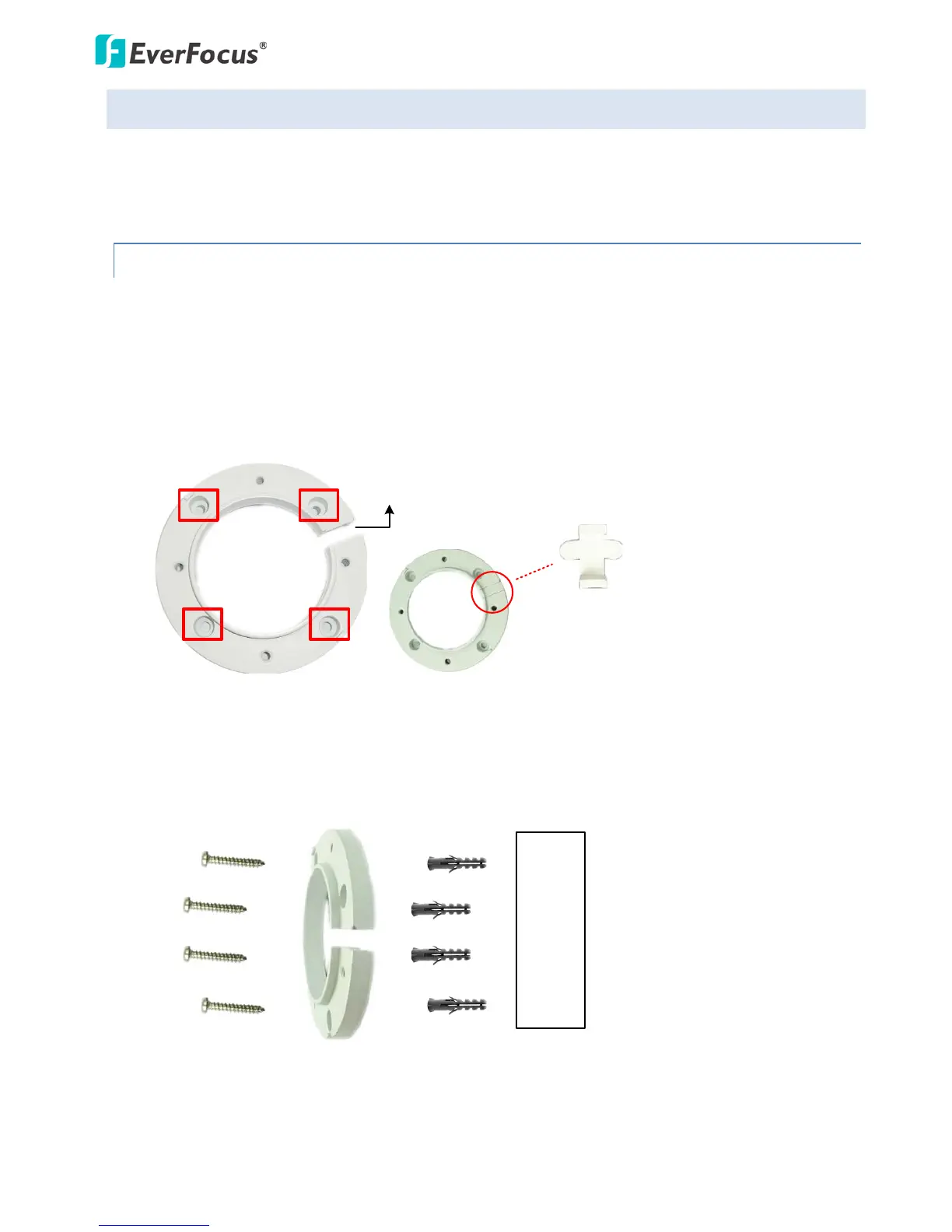
1. Before screwing the camera to the wall, drill four holes on the wall according to the hole-positions
on the supplied Quick-Mounting Ring. If you wish to run the wires through the wall, drill another
hole in the middle of the circular area within the Quick-Mounting Ring.
Circular Area
This conduit Is for wiring the cables along
the wall installation.
If you want to wire the cables through the wall,
then this conduit will not be used. You can
insert the supplied Plug into the conduit.
Plug
2. Push the four supplied Anchors into the four holes on the wall. Place the Quick-Mounting Ring
against the anchoring surface so that the holes line up. Screw the Quick-Mounting Ring to the wall
using the supplied Long Screws.



 To Next Page