EZN3261/3361
42
7.1.7 User
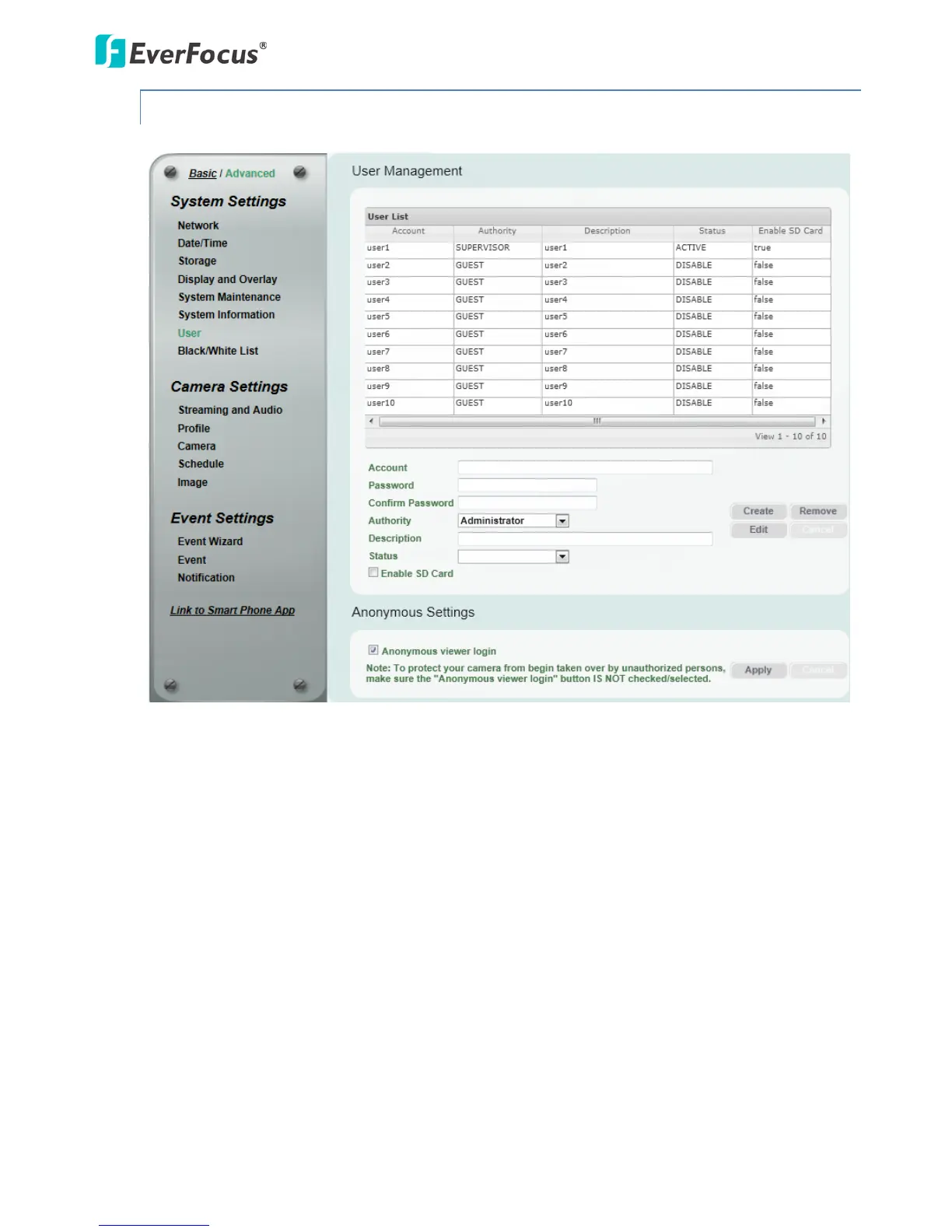
The system administrator can create up to ten user accounts on this page.
【User Management】The system has automatically created ten user accounts.
To set up an user account:
1. Highlight a user account and its information will be displayed in the field below the account list.
2. Revise the account name, password and description. Select an authority level for the user
account.
• Supervisor / Administrator: The only difference between a supervisor and administrator is
that a supervisor can edit an administrator’s account and password, but an administrator
cannot edit the supervisor’s account and password. The supervisor and administrators all
have unrestricted access to the Setting submenus and can determine the registration of all
other users.



 To Next Page