EZN3261/3361
9
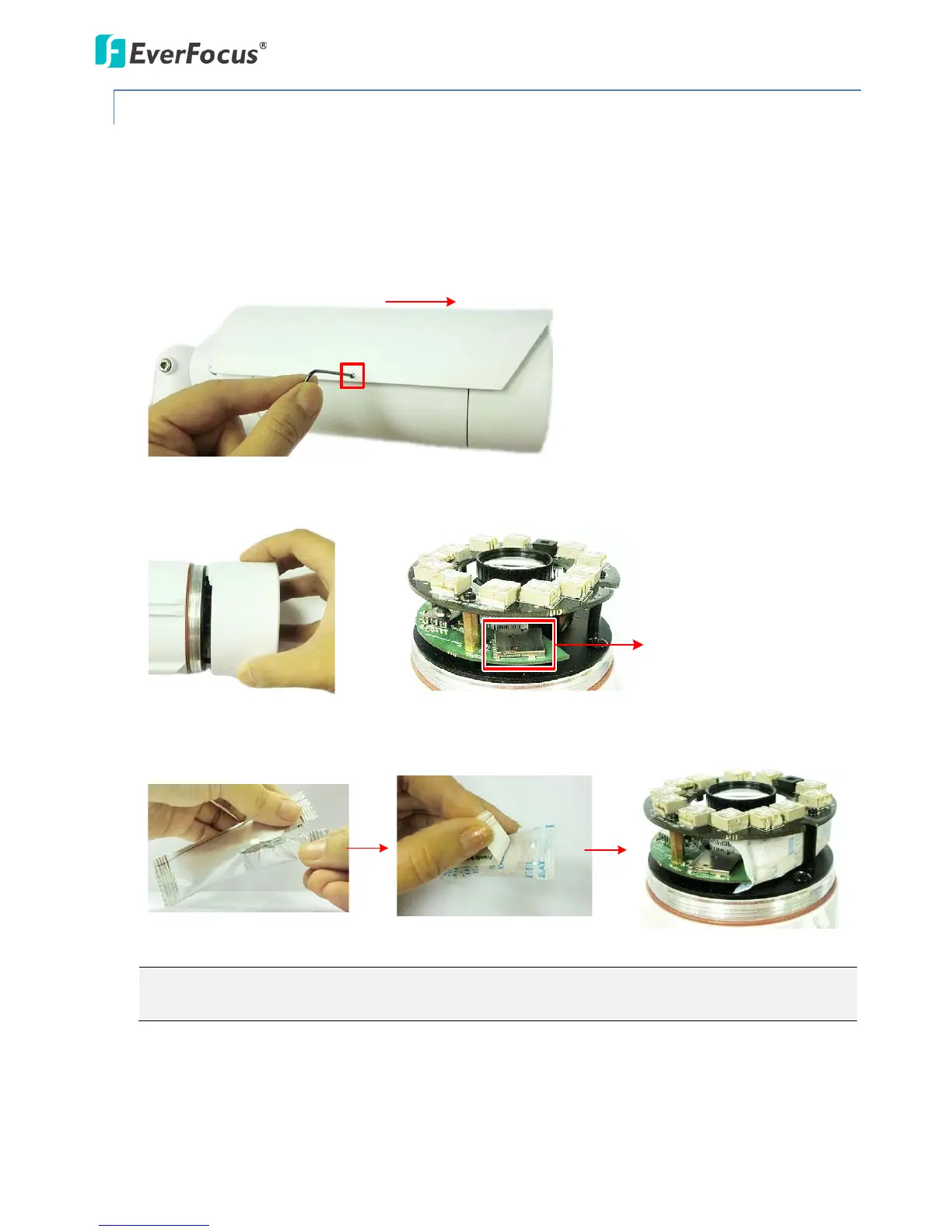
4.2.2 Inserting a Micro SD Card
You can optionally insert a micro SD card into the card slot on the camera module for recording videos.
Please refer to Appendix for the tested card brands.
1. Loosen the Set Screw on the Sunshield using the provided Hexagon Wrench and then slide the
Sunshield out from the rail on the camera.
2. Rotate and then remove the camera cover, and insert a micro SD card into the card slot.
3. Stick the supplied Desiccant Bag inside the camera.
Note: It’s recommended to close the cover immediately in case of reducing the absorption
capacity of the desiccant bag inside the camera.
4. Firmly close the camera cover for waterproofing, slide the Sunshield back to the camera body and
then screw the Set Screw.



 To Next Page