EasyManua.ls Logo

EverFocus EZN3261 - Page 14

EverFocus EZN3261
78 pages
Print Icon
To Next Page IconTo Next Page
To Previous Page IconTo Previous Page
Loading...
EZN3261/3361
8
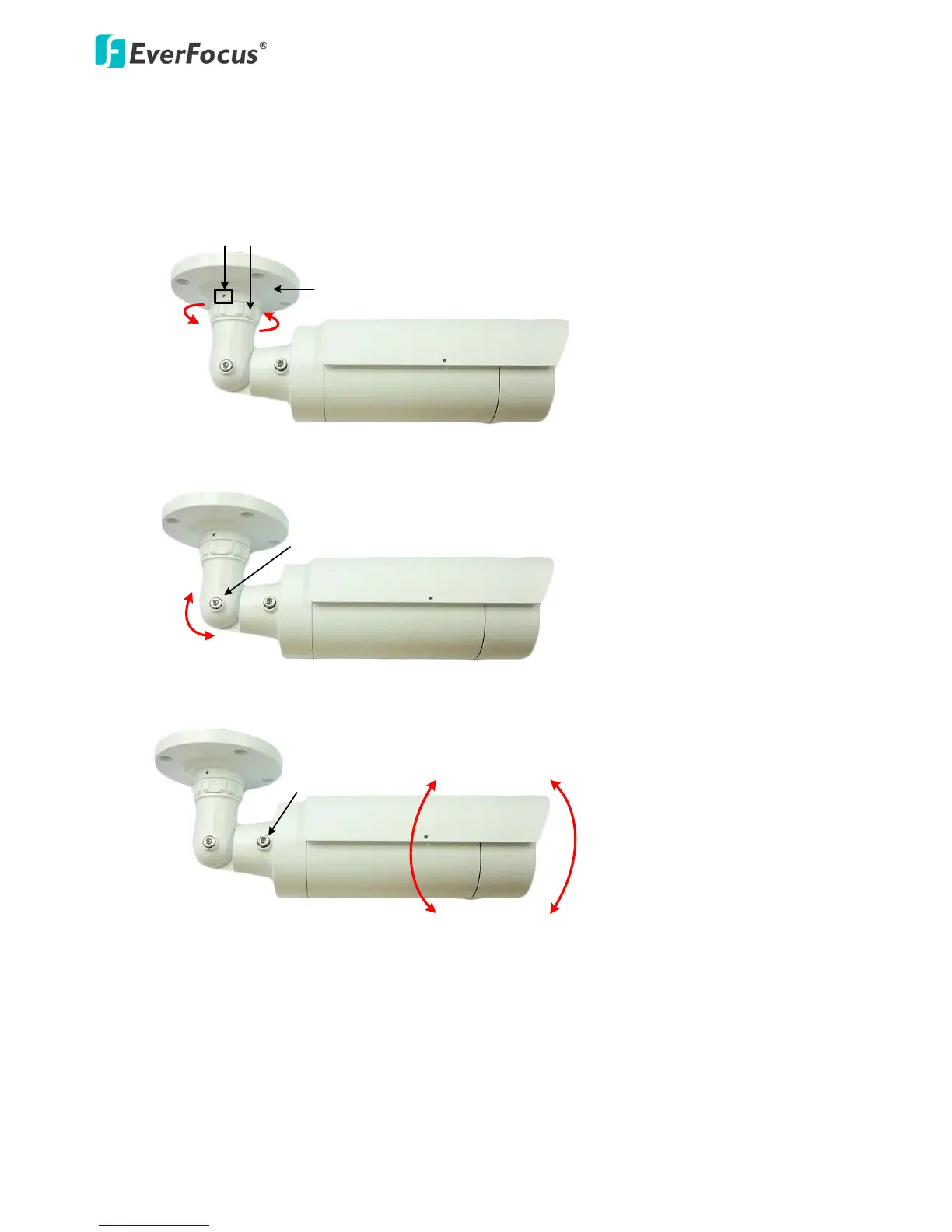
7. Adjust the camera angles.
Pan Adjustment: Unscrew the Set Screw using the supplied Hexagon Wrench. Twist the Camera
Base forcefully until it unscrews from the E-Z Lock Ring. Rotate the camera by 360° to the desired
position and screw the E-Z Lock Ring until it locks against the Camera Base. Screw back the Set
Screw.
360°
E-Z Lock Ring
Set Screw
Camera Base
Tilt Adjustment: Loosen the Tilt Screw using the provided Hexagon Key and adjust the tilt angle by
90°.
Tilt Screw
90°
Rotational Adjustment: Loosen the Rotate Screws on both side of the camera body using the
providing Hexagon Key and rotate the camera by 360° (180° to the left / 180° to the right).
Rotate Screw
180° 180°

Other manuals for EverFocus EZN3261

Related product manuals