EZN3261/3361
13
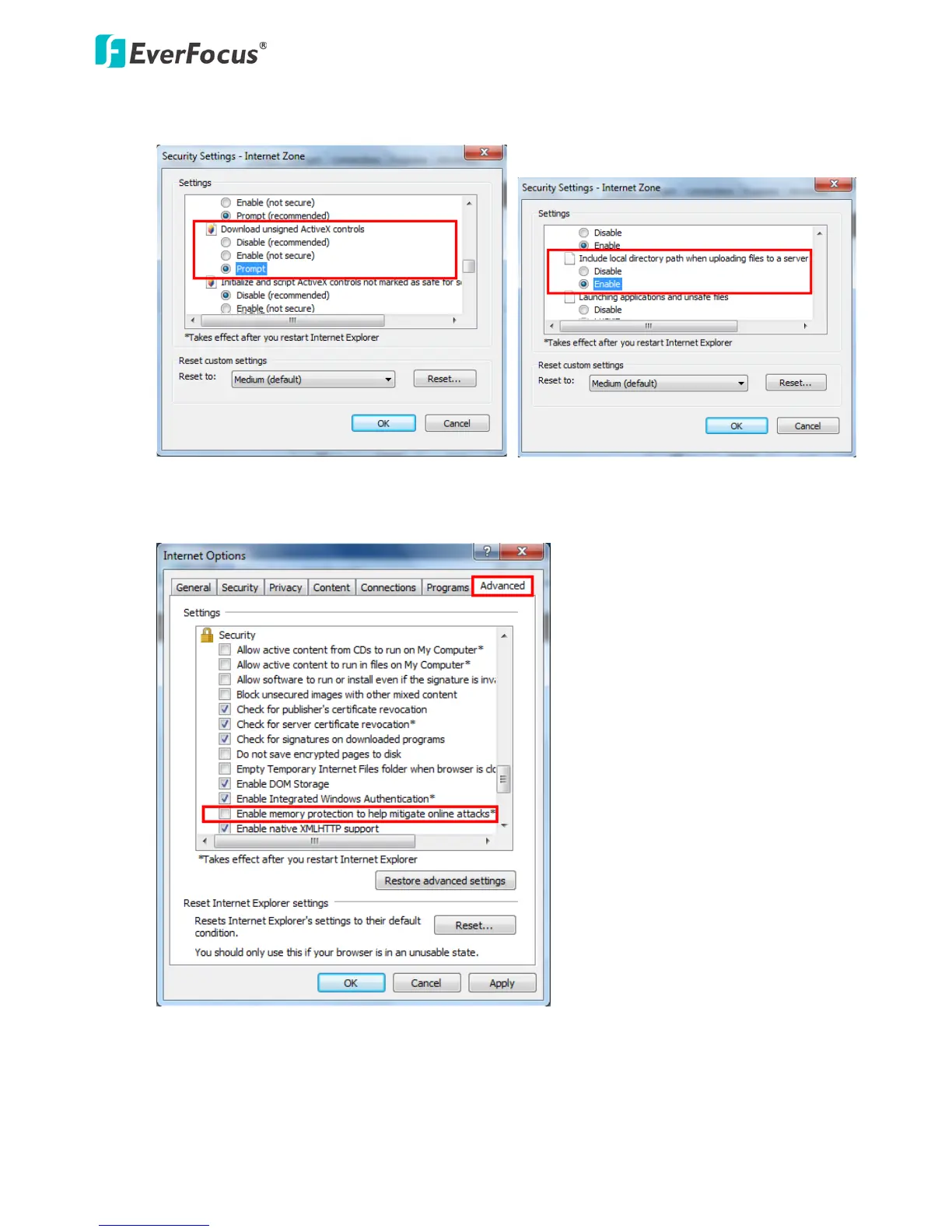
3. In the Download unsigned ActiveX controls field, select Prompt. In the Include local directory
path when uploading files to a server field, select Enable. Click OK.
4. In the Internet Options window, click the Advanced tab and then disable Enable memory
protection to help mitigate online attacks. Click OK.



 To Next Page