67
* Steam Cleaning
It allows the removal of softened dirt thanks to the steam that forms
in the oven
1. Remove all accessories from the oven.
2. Put half a litre of water on the tray and place the tray at the bot-
tom of the oven.
3. Bring the switch to lower heating ( ) mode. Set the thermo-
stat to 70° C, and operate the oven for 30 minutes.
5. After operating the oven for 30 minutes, open the door and wipe
the inner surfaces of oven with a damp cloth.
6. Clean the oven using dish washing detergent, warm water, and a
soft cloth for dirt that does not come out easily and wipe the area
you have cleaned with a dry cloth.
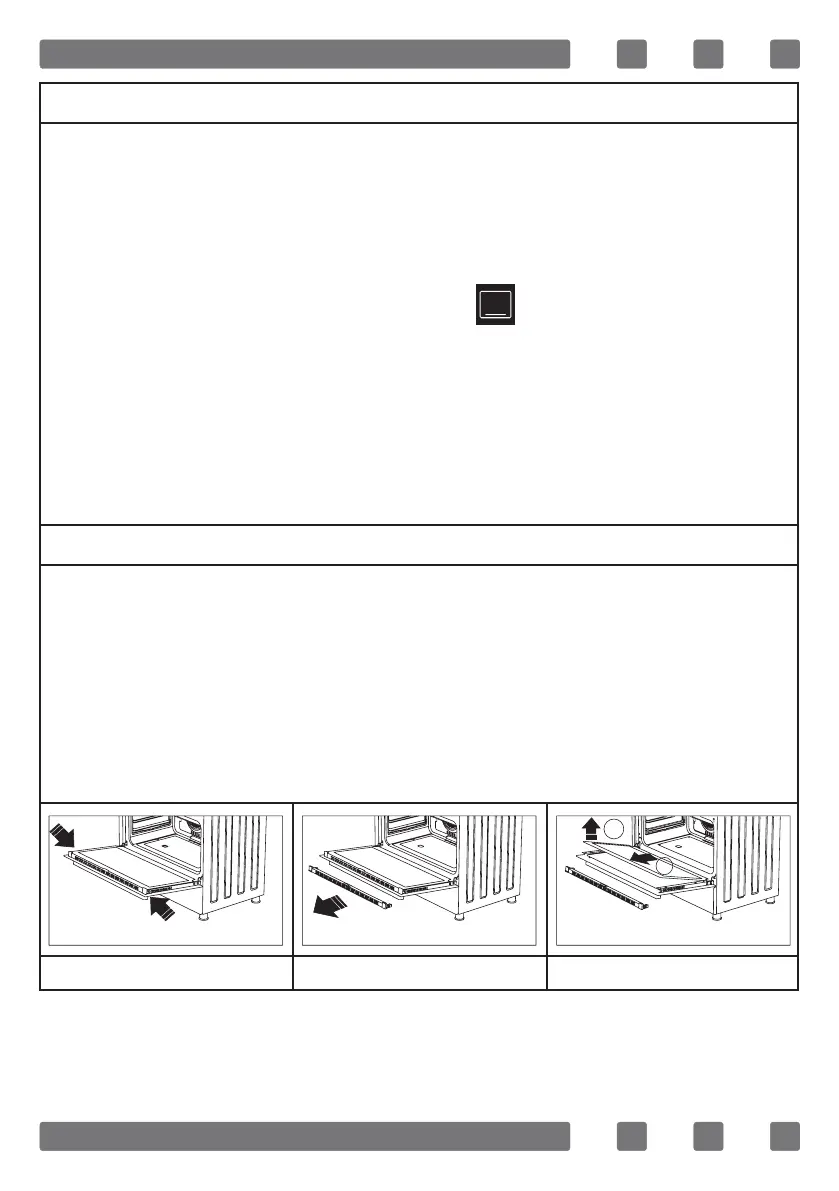
Cleaning And Maintenance Of The Oven’s Front Door Glass
Remove the prole by pressing the plastic latches on both left and
right sides as shown in gure 52 and pulling the prole towards your-
self as shown in gure 53. Then remove the inner-glass as shown in
gure 54. If required, middle glass can be removed in the same way.
After cleaning and maintenance are done, remount the glasses and
the prole in reverse order. Make sure the prole is properly seated
in its place.
Şekil 52 Şekil 53 Şekil 54
1
2



 To Next Page