3
Product Adjustments 35
EVERSYS AG CP89 Rue du Biais 19 CH-1957 Ardon
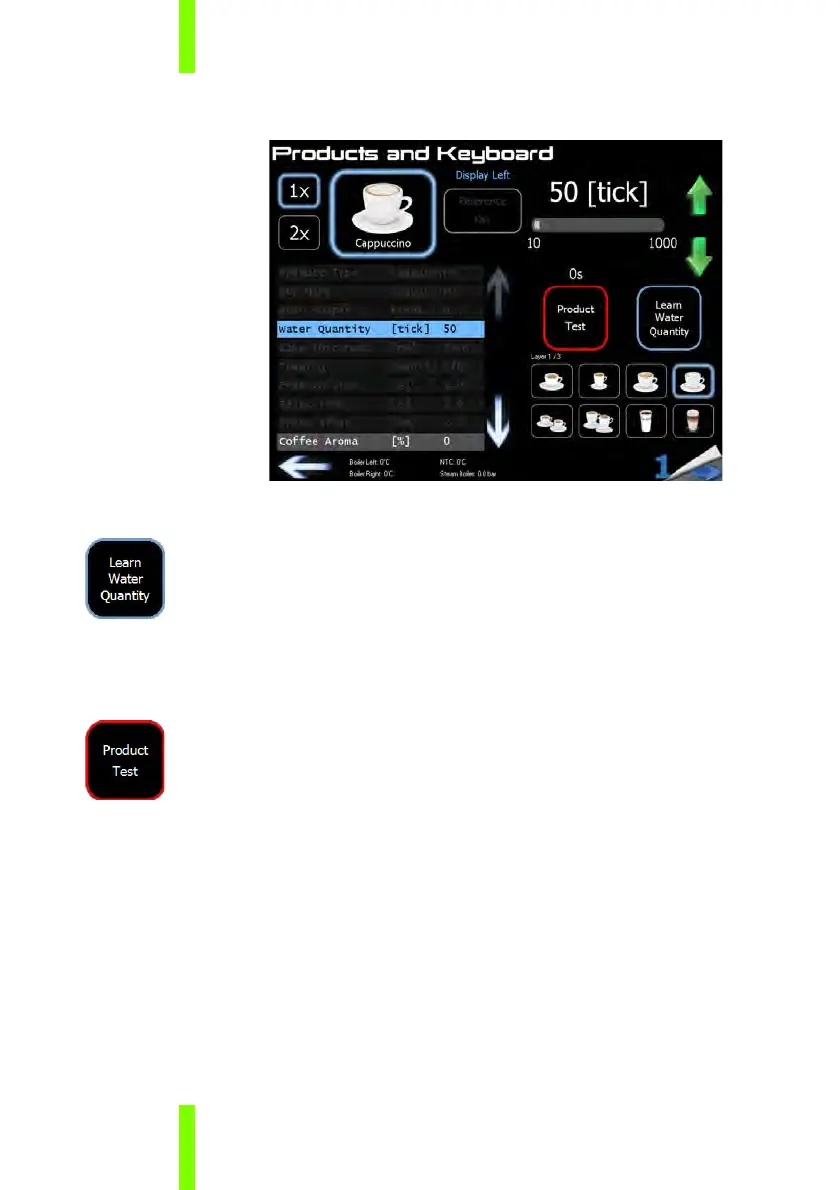
3 Select “Water Quantity”.
4 Place the relevant cup underneath the left coffee spout.
5 Push the “Learn Water Quantity” button to start the product
dispense.
6 When the required water quantity is reached, press the “Learn
Water Quantity” again to stop the product dispense.
7 Use the green up/down arrows for the fine adjustments.
8 Test the product by pushing the “Product Test” button.











 To Next Page