TR3200E Tally Data Router
Revision 1.0 Page - 5
3 CONFIGURATION
3.1 SETTING THE IP ADDRESS
1. Open WinSetup 3.45 with a white ‘Quartz Serial Cable’ between the PC and the front DB-9 of
the unit.
2. Click ‘Options’ > ‘Communications’ to select the ‘Use Serial Communications’ pick the
appropriate Port for your PC, 38400, none, 8, 1
3. Click ‘System’ > ‘Ethernet Configuration’, and an IP Config window will open.
4. Query Router will print what the router IP is set to.
5. Fill in the IP, Subnet Mask and Gateway appropriately.
6. Update to send changes to the router.
7. An ‘Update’ window will appear to indicate a reboot is required. Click ‘OK’ and reboot the
router.
8. Once the router is booted ensure you can ping for 30 seconds.
3.1.1 The Quartz Serial Cable
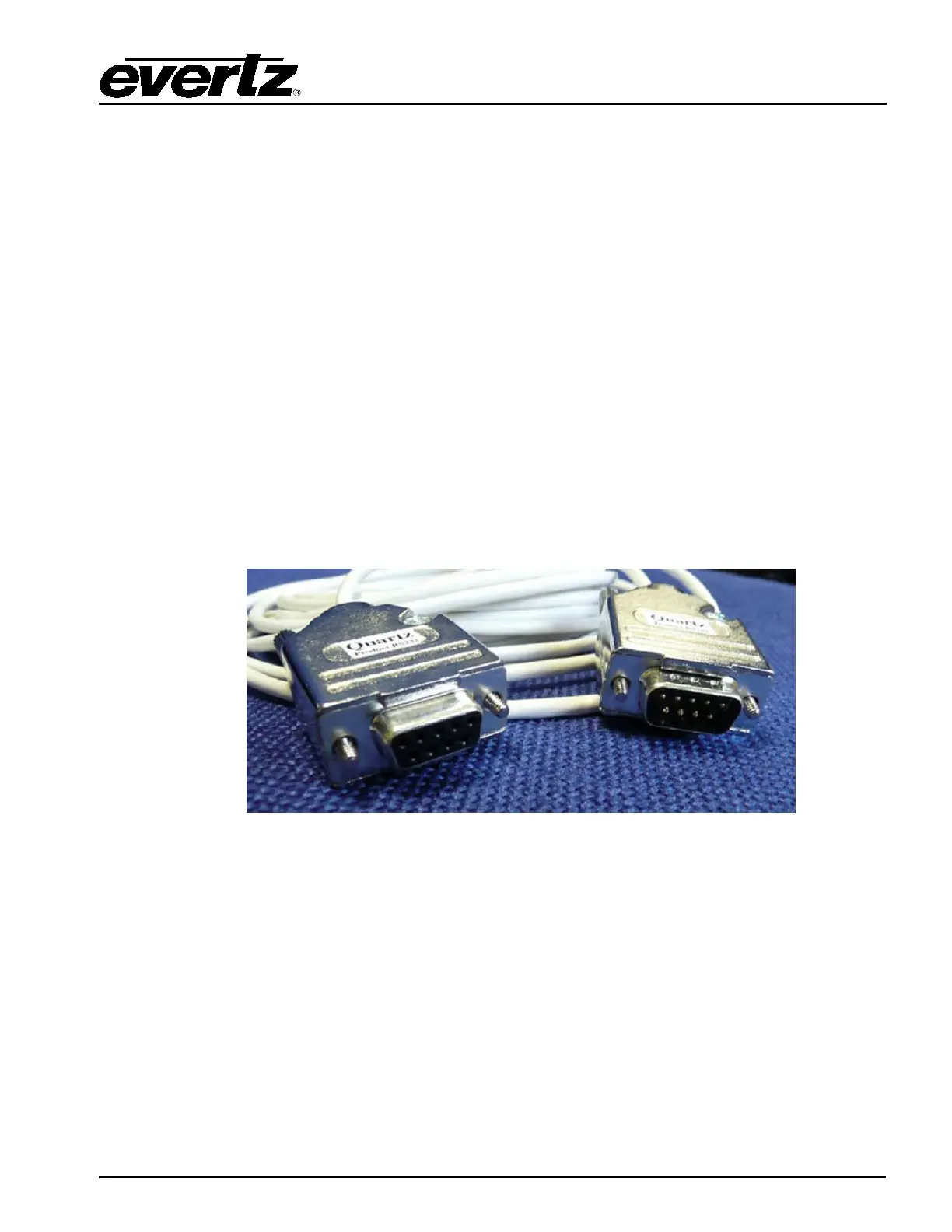
The Quartz Serial cable is fitted with both a male and female connector. Please see Figure 3-1 for an
example of what the supplied “Quartz Serial Cable” looks like.
Figure 3-1: Quartz Serial Cable
If you are making your own cable then the interface cable needs a D9 socket at the PC end and a D9
plug at the router end. The cable must have the following connections.
PC D9 skt Quartz D9 plg
pin 3 (Tx) -----to----- pin 3 (Rx)
pin 2 (Rx) -----to----- pin 7 (Tx)
pin 5 (0v) -----to----- pin 6 (0v)
3.2 ROUTER CONFIGURATION
1. No router configuration is required from WinSetup or other means; this device has all
required functionality hard coded.



 To Next Page