EVGA X58 SLI CLASSIFIED Motherboard
18
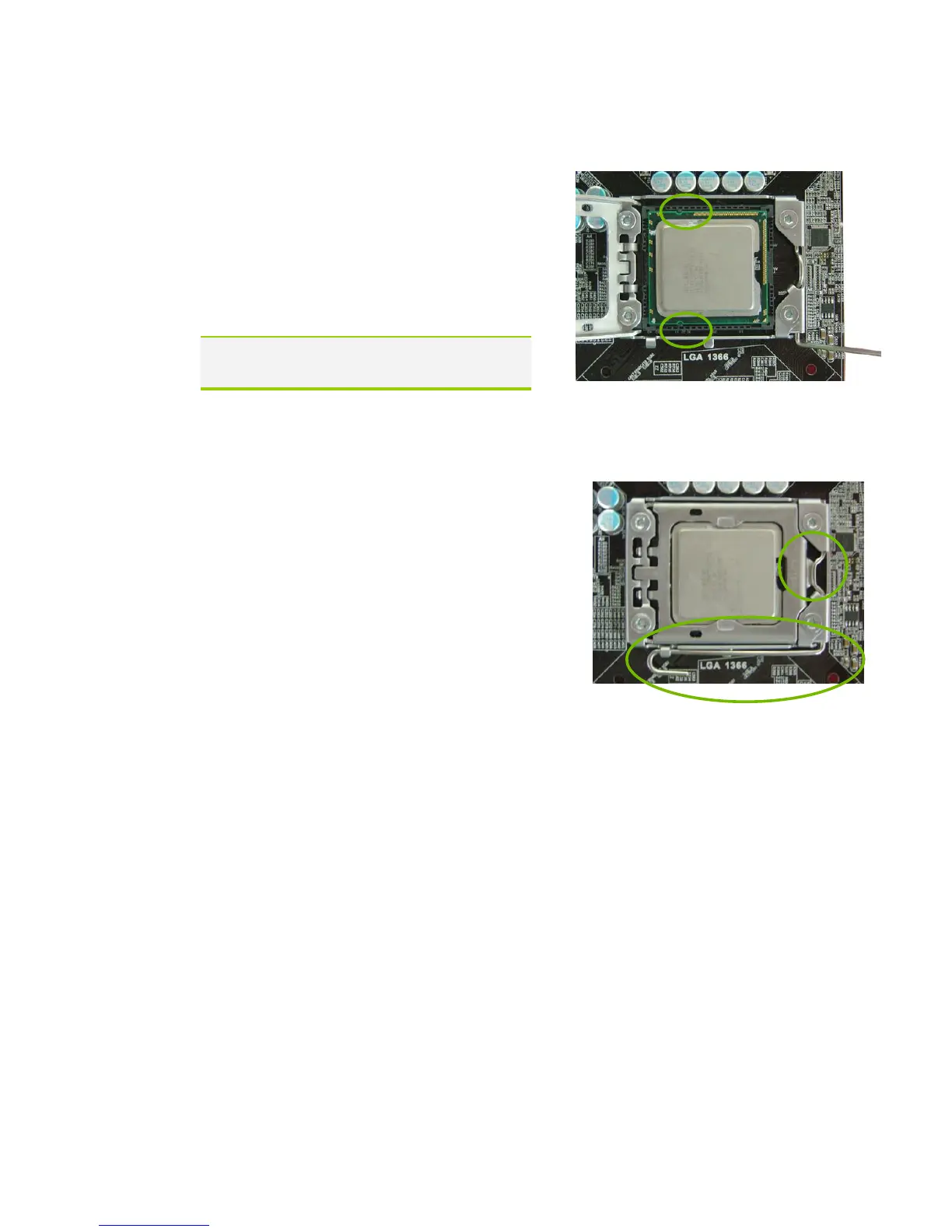
5. Align the notches in the processor
with the notches on the socket.
6. Lower the processor straight down
into the socket with out tilting or
sliding it into the socket
Make sure the CPU is fully seated and
level in the socket.
7. Close the load plate over the CPU and
press down while you close and
engage the socket lever.
8. The CPU installation is complete.
Installing the CPU Fan
There are many different fan types that can be used with this motherboard.
Follow the instruction that came with your fan assembly. Be sure that the fan
orientation is correct for your chassis type and your fan assembly.



 To Next Page