EVGA X58 SLI CLASSIFIED Motherboard
34
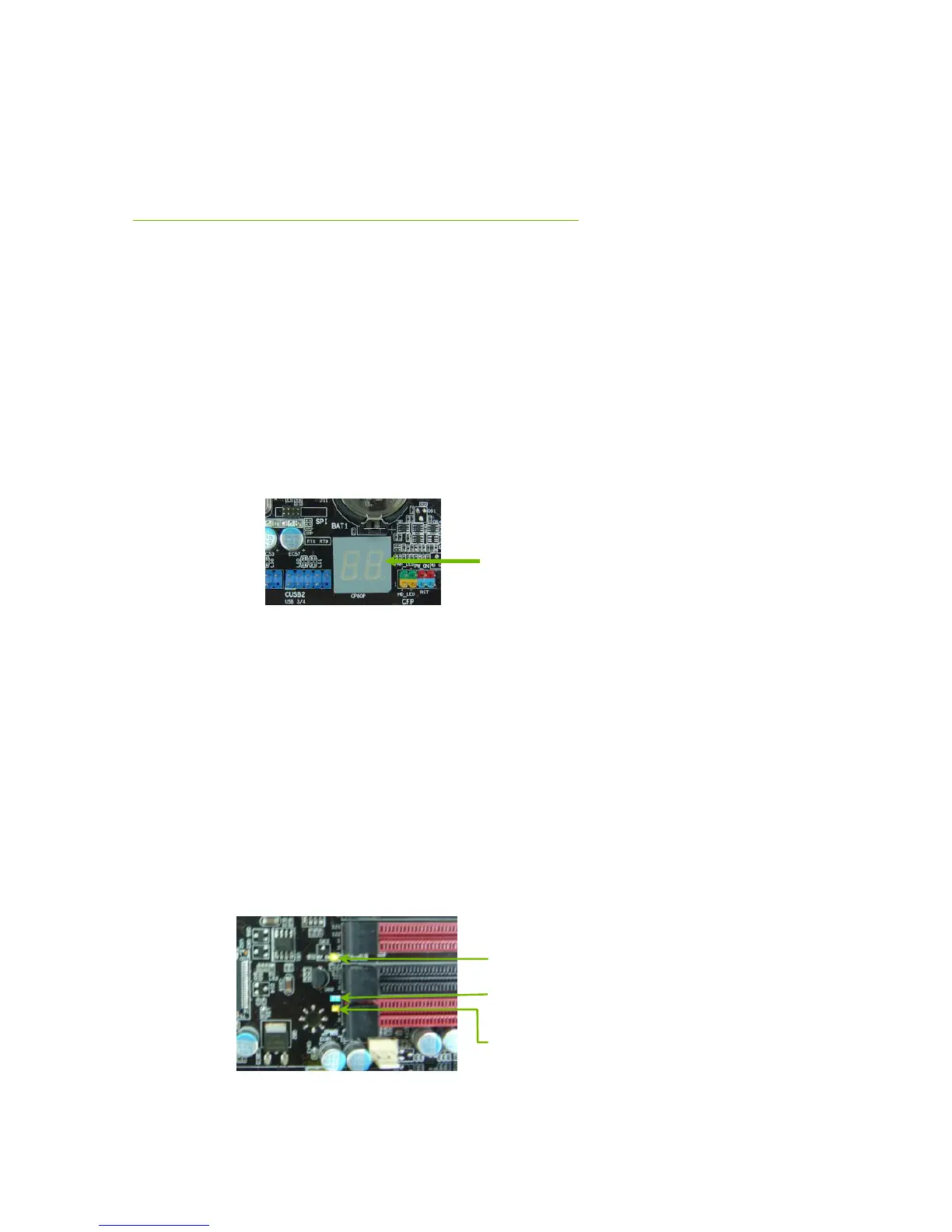
Post Port Debug LED and
LED Status Indicators
Post Port Debug LED
Provides two-digit POST codes to show why the system may be failing to boot.
It is useful during troubleshooting situations. This Debug LED will also display
current CPU temperatures after the system has fully booted into the Operating
System.
LED Status Indicators
Theses LEDs indicate the system’s status.
POWER LED (Green):
When the system is power on status, the LED is on.
DIMM LED (Yellow):
When the memory slot is functional, the LED is on.
STANDBY LED (Blue):
When the system is in standby mode, the LED is on.



 To Next Page