EVGA X58 SLI CLASSIFIED Motherboard
67
Frequency/Voltage Control
Menu
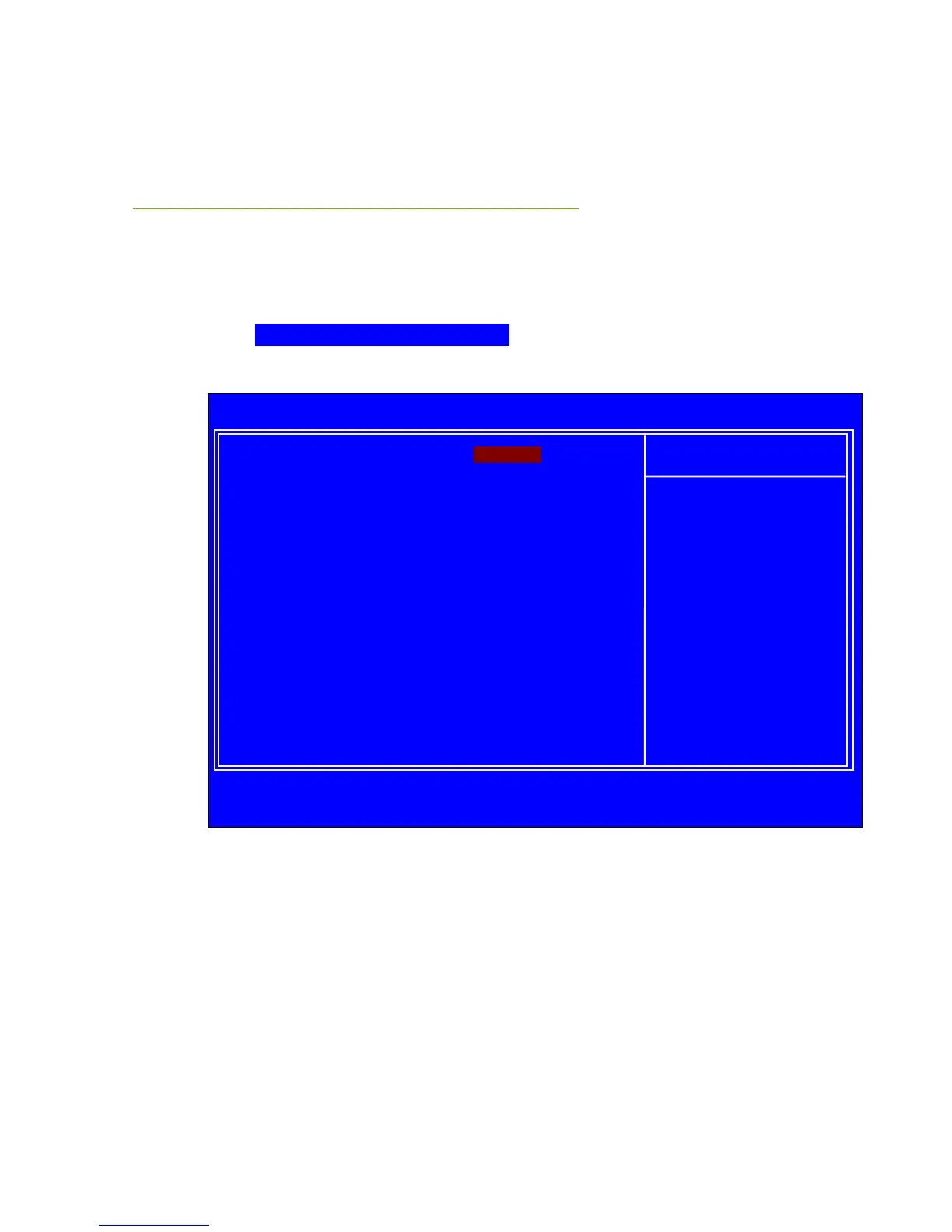
Select Frequency/Voltage Control from the CMOS Setup Utility menu and
press Enter to display the Frequency/Voltage Control menu.
Figure 10. Frequency/Voltage Control Menu
Extreme Cooling
When using Liquid Nitrogen you need to enable this function to make sure the
system can run stable.
:Move Enter:Select +/-/PU/PD:Value F10:Save ESC:Exit F1:General Help
F5:Previous Values F7:Defaults
Extreme Cooling [Disabled]
Memory Feature [Press Enter]
Voltage Control [Press Enter]
CPU Feature [Press Enter]
CPU Clock Ratio [24X]
CPU Host Frequency(Mhz) [133]
CPU Uncore Frequency(Mhz) [Auto]
Spread Spectrum [Disabled]
PCI Frequency [100]
Save Profile [Press Enter]
Load Profile [Press Enter]
Phoenix – AwardBIOS CMOS Setup Utility
Frequency/Voltage Control



 To Next Page