EVGA X58 SLI CLASSIFIED Motherboard
41
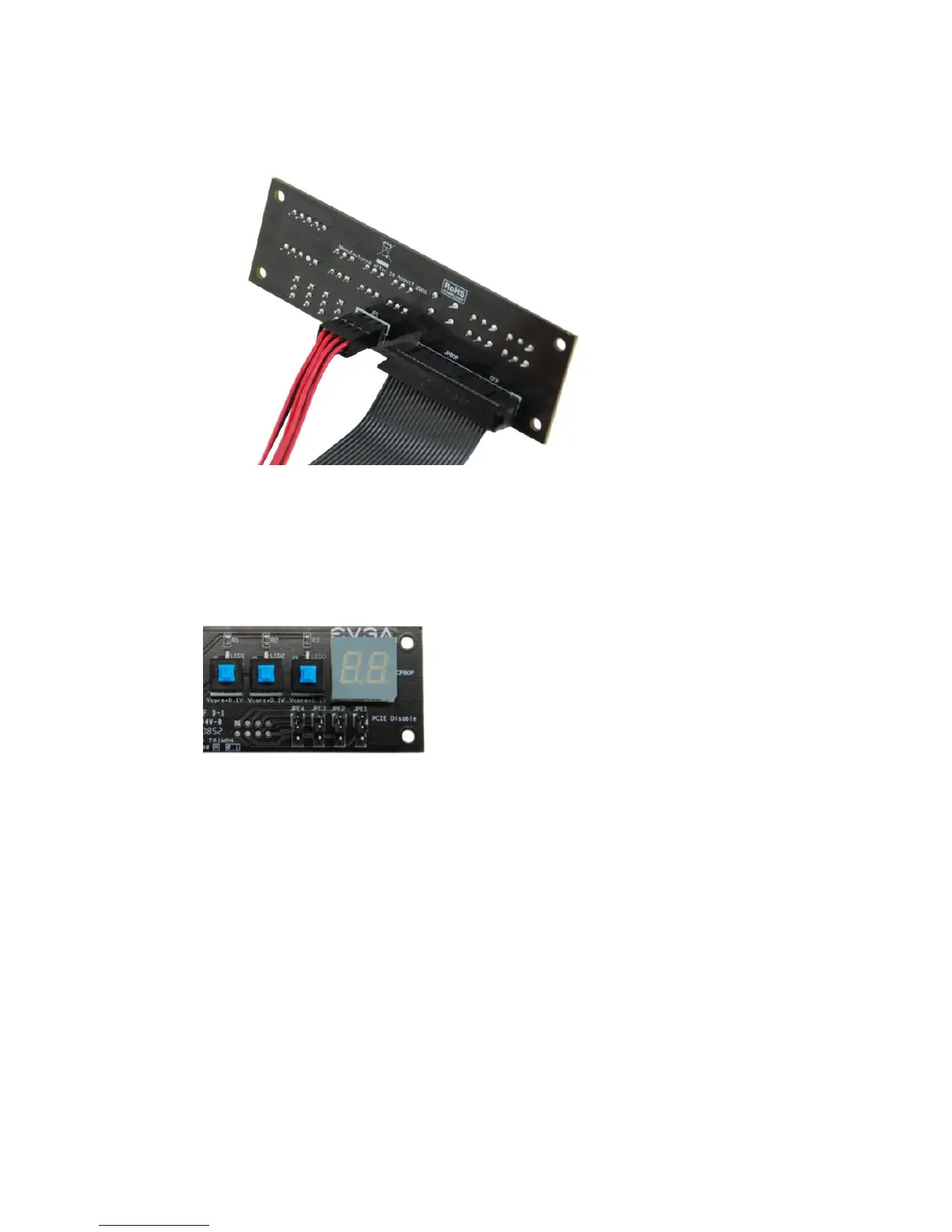
The red wires should be occupying the pins on the top row.
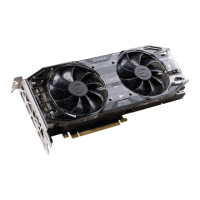
Now, access the Disable/Enable Function at the front of the Control Panel:
From right to left, the PCIE Disable will disable slots 2,3,4,5. When jumper is in
top position, PCIE slot is enabled. When in bottom position PCIE slot is
disabled.



 To Next Page