EVGA X299 Micro (131-SX-E295)
- 115 -
Th
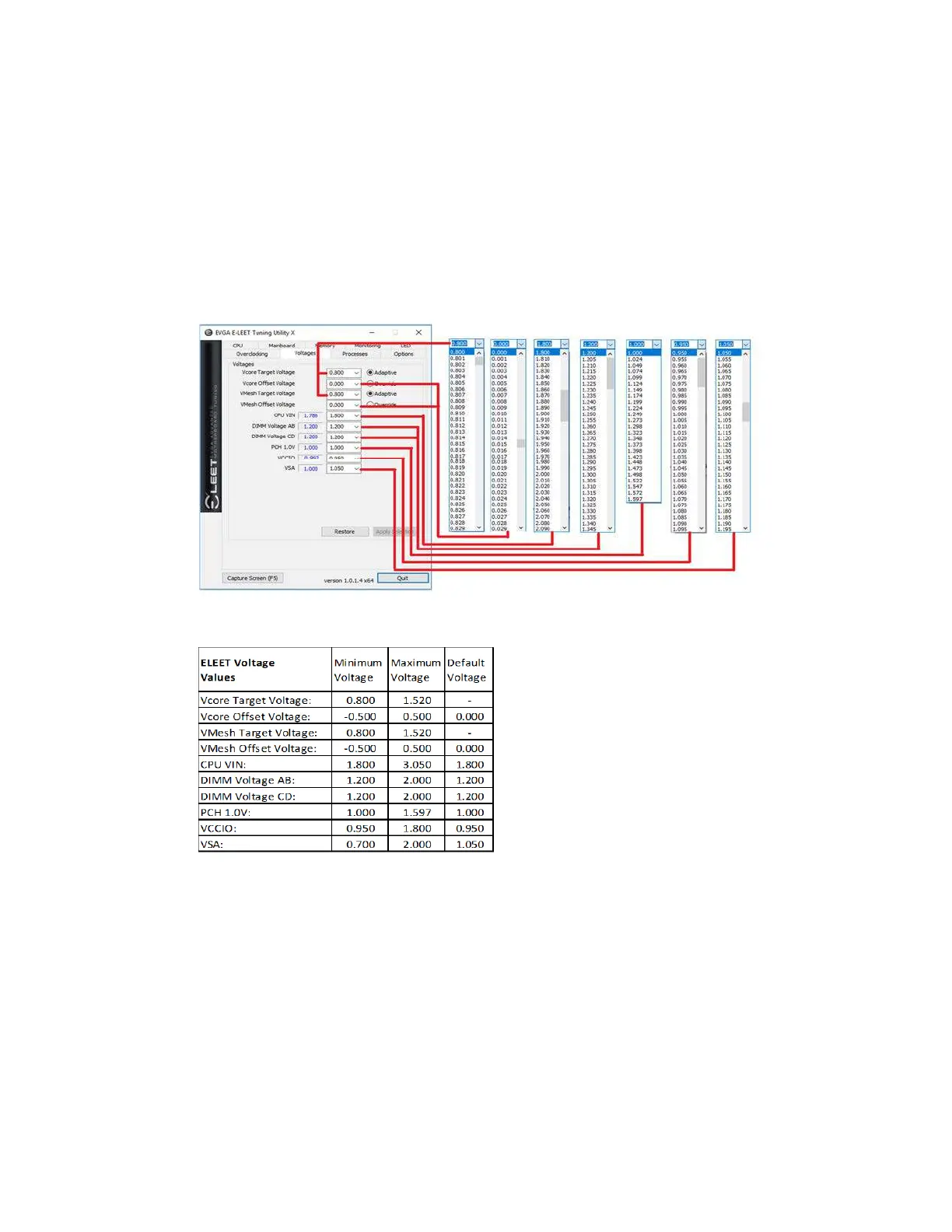
e non-CPU Vcore voltages do not utilize the Adaptive or Override voltage settings.
Instead, these use a pulldown menu to select preset voltages, as shown in the image
below. The voltages for these components are set by detection during POST, and E-
LEET will open the pulldown to the currently detected voltage. Please be careful when
adjusting voltages, as there are risks to running electronics out of spec. Although
EVGA warranties overclocking, other components are manufactured by different
brands (i.e. RAM and CPU), which may have different policies towards overclocking.
When your changes are complete, click “Apply Selection” at the bottom, or return to
defaults by clicking the “Restore” button.
Below is the voltage range list within E-LEET:
This is the E-LEET utility in its entirety; this should provide enough of an overview to
utilize the E-LEET software suite.



 To Next Page