EVGA X299 Micro (131-SX-E295)
- 114 -
Th
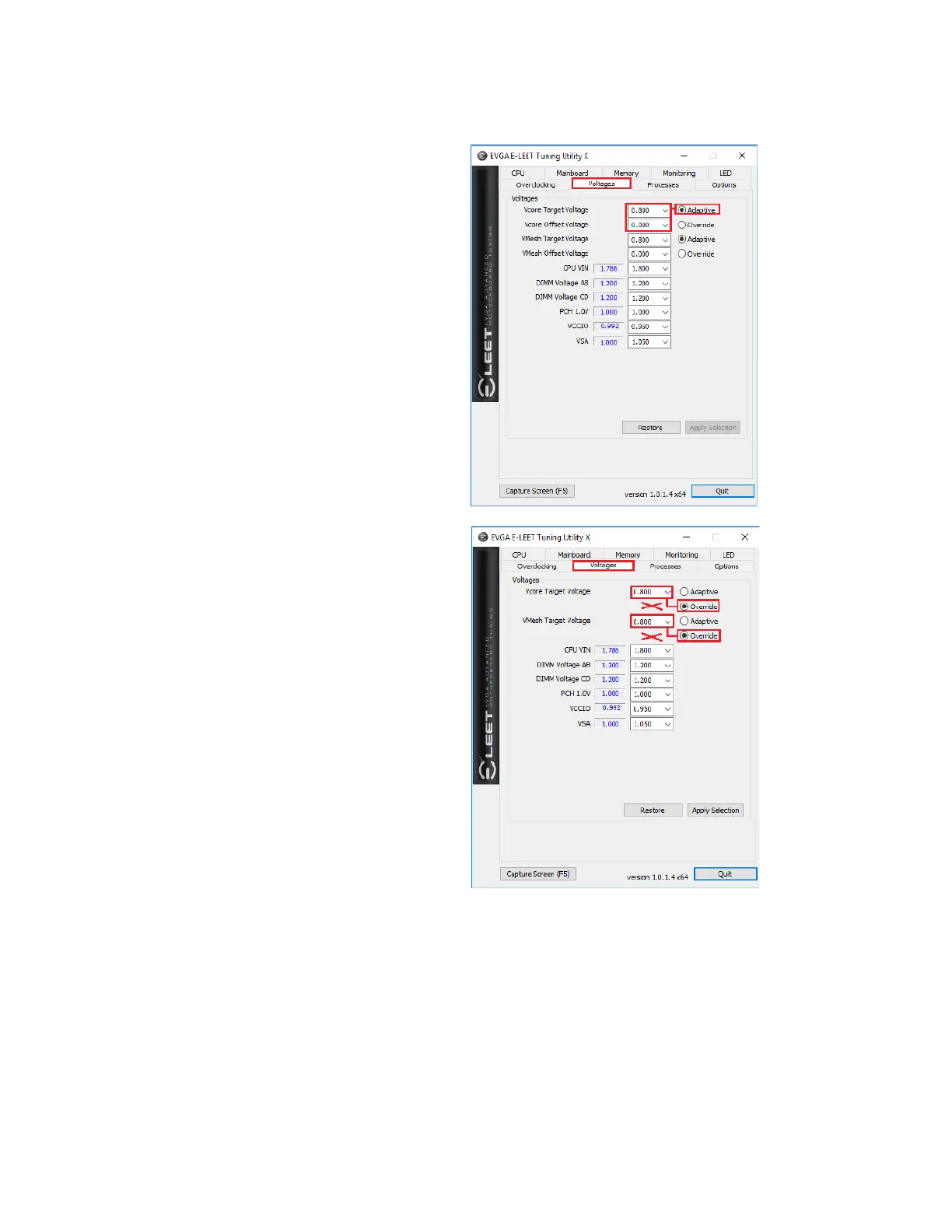
e final section is “Voltages,” which
provides a level of voltage control
similar to what is available in the
BIOS. Using the right image, you’ll
notice that there are options for
multiple voltages, and two options for
your CPU Vcore: Adaptive and
Override voltages.
Generally speaking, Adaptive will allow
you to tailor your CPU Vcore voltage
profile to keep voltage usage and heat
to a minimum, while Override is more
of a brute-force method of setting your
CPU Vcore voltage.
Adaptive gives you both Target
Voltage and Offset Voltage as an
option. When adjusting Adaptive, you
start by setting your target voltage,
which you will discover through stress-
testing your CPU. The Offset voltage
is then used to fine-tune additional
voltage that may be required in load or
stress situations.
Override just provides a static voltage;
outside of extreme benching, this
setting is typically not needed or ideal
for the longevity of the CPU, since the
VCore is meant to fluctuate based on
load. Alternatively, this can be used in
the early stages of overclocking to find
your Target voltage, before switching
back to Adaptive.



 To Next Page