EVGA X299 Micro (131-SX-E295)
- 63 -
On
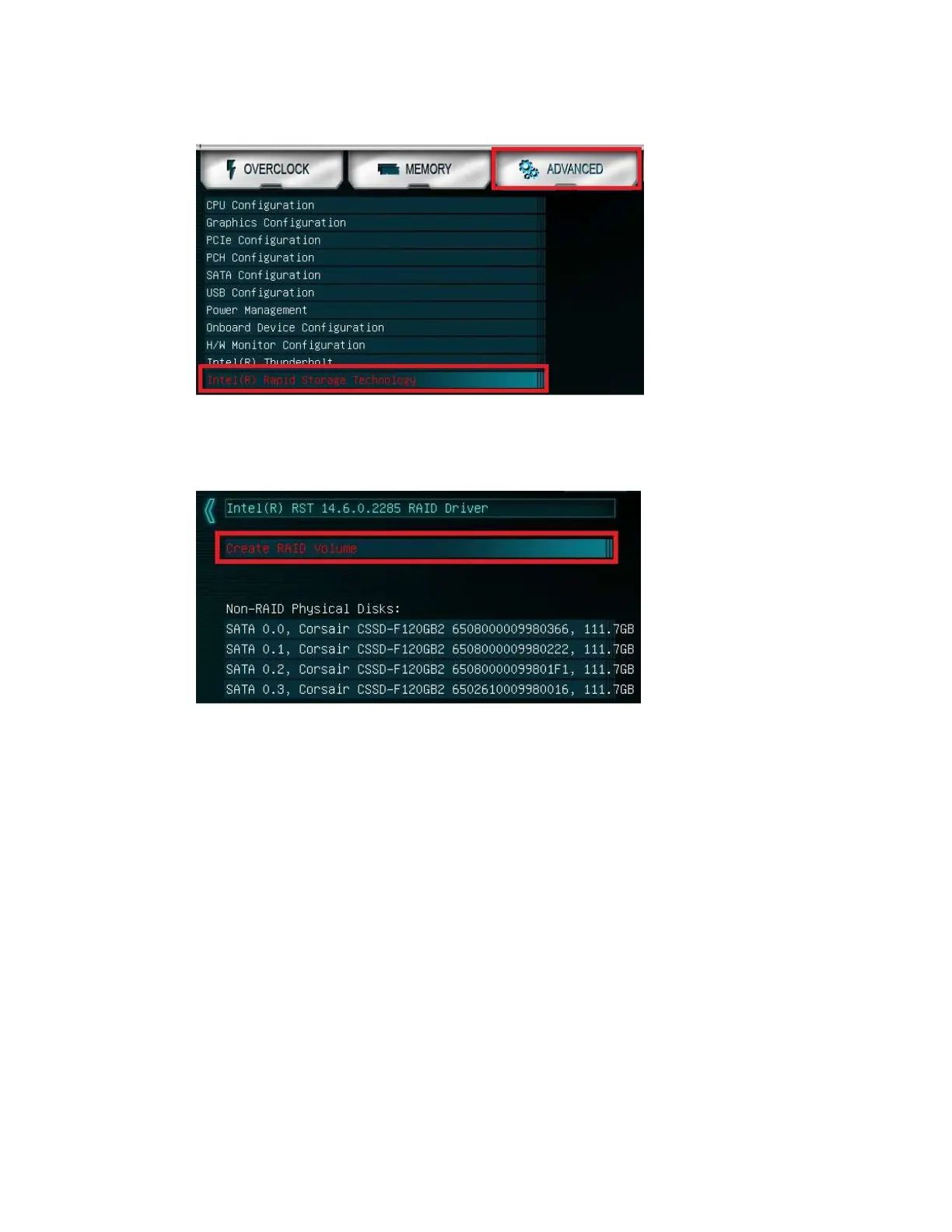
ce in the RAID controller, you will see a list of all detected drives and a “Create
RAID Volume” button. To begin, click on “Create RAID Volume” or navigate to the
button and hit “Enter.”
Choose a name for the volume. The controller allows up to 15 characters; you can use
numbers and letters, but not special characters.



 To Next Page