EVGA X299 Micro (131-SX-E295)
- 64 -
Ne
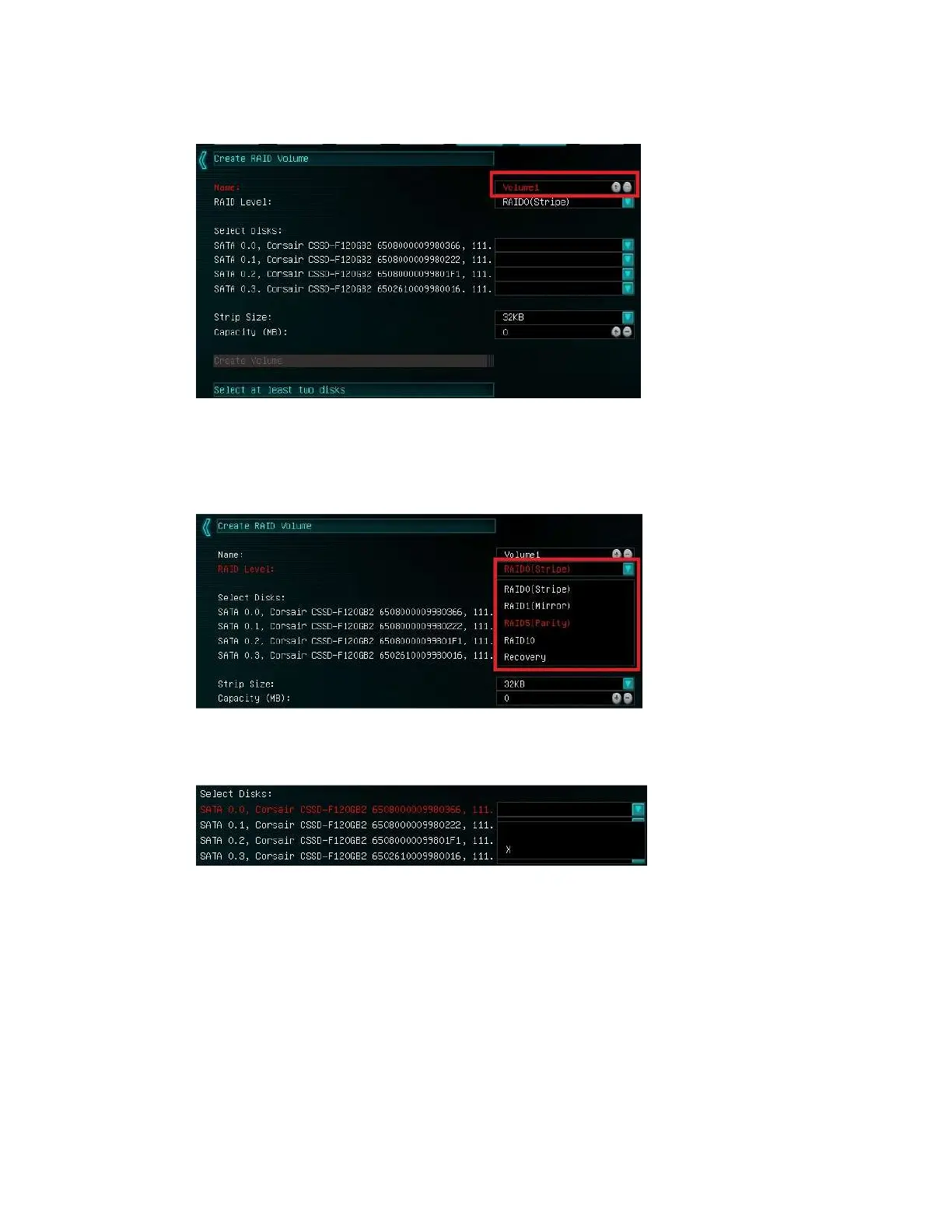
xt, select your intended array type. This can be done by either clicking on the down
arrow and clicking on the RAID level you want, or pressing the enter key and using the
down arrow to select the RAID level and pressing Enter again. Please see the top half
of Page 61 for a quick reference on different RAID levels and RAID types based on
your total number of drives.
Next select the drives you want to use for the array. Select the down arrow and the “X”
for each drive you want to include in the array.



 To Next Page